


Close Menu

    Subscribe to Updates

    Get the latest tech news

    Facebook X (Twitter) Instagram
    TechArenaTechArena
    • Home
    • News
    • Reviews
    • Features
      • Top 5
    • Startups
    • Contact
    Facebook X (Twitter) Instagram
    TechArenaTechArena
    Home»Apps»Is This the End of the Road For Google Now Launcher as We Know It?
    Apps

    Is This the End of the Road For Google Now Launcher as We Know It?

    Kaluka wanjalaBy Kaluka wanjalaFebruary 6, 20172 Mins Read
    Facebook Twitter Telegram LinkedIn WhatsApp Email Pinterest
    Google Nexus Launcher 4
    Google Nexus Launcher 4
    Share
    Facebook Twitter LinkedIn WhatsApp Telegram

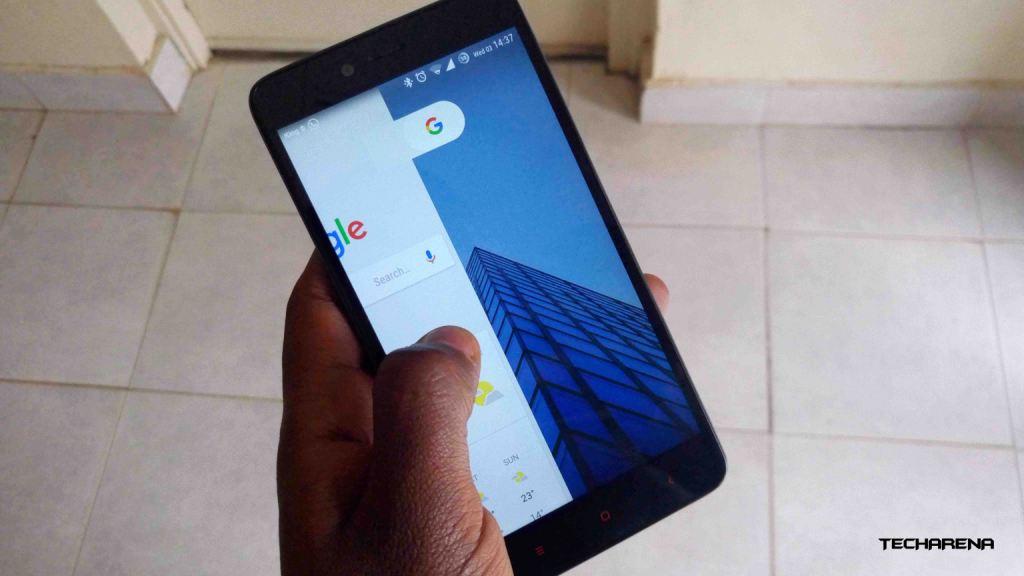
    If you are in love with all things Android, you may have come across Google Now Launcher at least once. This was the default launcher on Nexus phones and was available on the Play Store for those who wanted this same experience on their non-Nexus devices.

    Well, Google Now Launcher had its run and it is now reported that it will be pulled from the Play Store very soon. This is according to sources who spoke to Android Police. We sort of expected this to happen last year when the Google Pixel phones were announced, these phones came with a new launcher, the Pixel Launcher, and not Google Now.

    You can still download Google Now Launcher if you want to but things will change soon. Google will probably release Pixel Launcher to even more phones. This launcher is currently limited to the Pixel phones and isn’t available on the Play Store yet. By removing Google Now from the Store, the company will replace it with the Pixel Launcher that is considered to be an updated version of that launcher and comes with Google Assistant.

    The LG G6 to Debut the Pixel Launcher

    As mentioned above, the Pixel Launcher is still limited to the Google Pixel phones for those who are not comfortable installing apps not available on the Play Store. We have heard rumours that the LG G6 will be the first non-Pixel smartphone to come with the Pixel Launcher and Google Assistant. After the launch on the G6 with Pixel launcher, you should expect to see the launcher on the Play Store soon.

    Google is yet to confirm if it is bringing Pixel Launcher to other phones but that looks like the only natural step to take.

    For those who are not patient, you can grab Pixel Launcher APK files from apkmirror.com and test it out for yourself. Keep in mind that your security is not guaranteed when you download files outside of the Play Store.

    Also Read: LG Will Go With Waterproofing Over Removable Battery With Its Upcoming Flagship, The G6

    Google LG LG G6 pixel launcher
    Kaluka wanjala
    • Website
    • Facebook
    • X (Twitter)
    • LinkedIn

    Editor at TechArena. I cover all things technology and review new gadgets as I get them. You can reach me on email: [email protected]

    Related Posts

    LG to Debut Next-Generation MAGNIT Micro LED Display at ISE 2026

    January 28, 2026

    Meaningful AI May Matter a Lot More than Powerful AI

    January 20, 2026

    How LG Is Using Mobile Service Units to Fix a Broken After-Sales System in Kenya

    January 19, 2026

    Comments are closed.

    Latest Posts

    Binance Launches “Safety Campaign” in Kenya to Link Road Safety With Crypto Security

    January 28, 2026

    Huawei Launches ICT Competition 2025/26 Bootcamp in Kenya

    January 28, 2026

    LG to Debut Next-Generation MAGNIT Micro LED Display at ISE 2026

    January 28, 2026

    Automate your monthly bills to keep your budgets on track

    January 28, 2026
    Advertisement
    Editor's Pick

    Automate your monthly bills to keep your budgets on track

    January 28, 2026

    How to Choose the Right Data Centre in East Africa: A Practical Guide for Enterprises and Startups

    January 27, 2026

    How 2026 will stitch together the future of payments

    January 22, 2026

    5 Blockchain Trends to Watch in 2026: Insights from D24 Fintech’s CTO

    January 21, 2026
    © 2026 TechArena.. All rights reserved.
    • Home
    • Startups
    • Reviews

    Type above and press Enter to search. Press Esc to cancel.