


Close Menu

    Subscribe to Updates

    Get the latest tech news

    Facebook X (Twitter) Instagram
    TechArenaTechArena
    • Home
    • News
    • Reviews
    • Features
      • Top 5
    • Startups
    • Contact
    Facebook X (Twitter) Instagram
    TechArenaTechArena
    Home»Gadgets»This Is the First ‘Confirmation’ That The Galaxy Note 7 Will Come with an Iris Scanner
    Gadgets

    This Is the First ‘Confirmation’ That The Galaxy Note 7 Will Come with an Iris Scanner

    Kaluka wanjalaBy Kaluka wanjalaJuly 15, 20162 Mins Read
    Facebook Twitter Telegram LinkedIn WhatsApp Email Pinterest
    samsung galaxy note 5 touchwiz grace ux 2
    samsung galaxy note 5 touchwiz grace ux 2
    Share
    Facebook Twitter LinkedIn WhatsApp Telegram

    The next device under the Galaxy Note series is currently in production. This device, the Galaxy Note 7, will take over from the Galaxy Note 5 which was unveiled last year. The Galaxy Note 7 will be launched on August 2 at an event in New York so you should expect to see more leaks and rumors about it as we get close to that date.

    So far, we have seen and heard pretty much everything about this phone and the most recent one suggested that Samsung has plans to make it slimmer compared to the Note 5. We even saw photos that showed the device’s curved edges which make it look very slim.

    The latest info about this device sort of confirms the existence on an iris scanner.  We have heard that Samsung has plans to include this feature on the phablet but there has not been any confirmation till now. Check out the photo below.
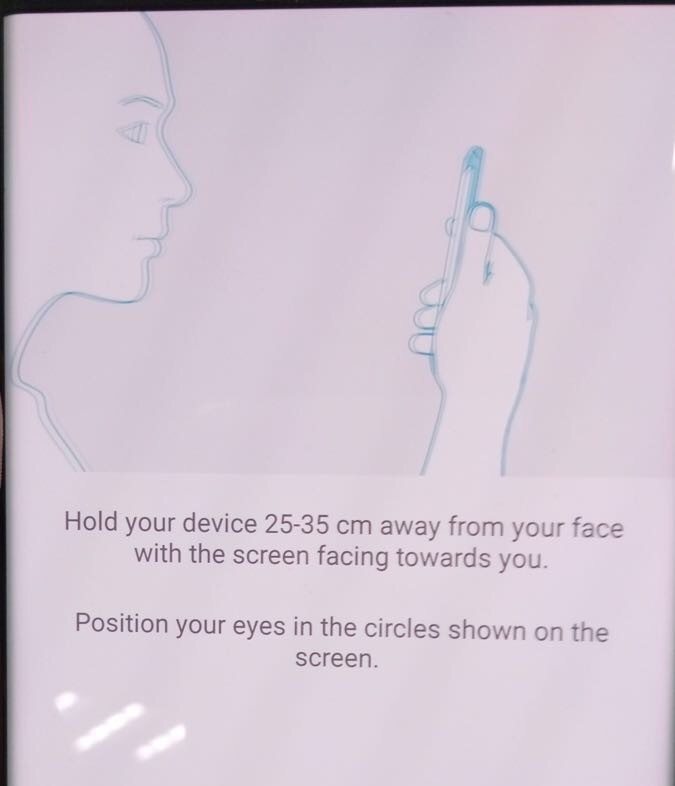
    Galaxy Note 7 Iris scanner
    Galaxy Note 7 Iris scanner Instructions

    The photo shared above has been leaked online and from what I see, it shows the instructions manual for setting up the iris scanner on the phone. That is the only logical reason right now as I can’t come up with anything else that would require a user to stare at the screen as shown on the photo. It shows that you are supposed to hold the phone a distance from your face for it work properly.

    Besides the photo shared above, there is also another photo showing two circles that the user will be required to look at when unlocking the phone. These are the circles the first photo is referring to and when the two photos are combined, the iris scanner theory makes sense.
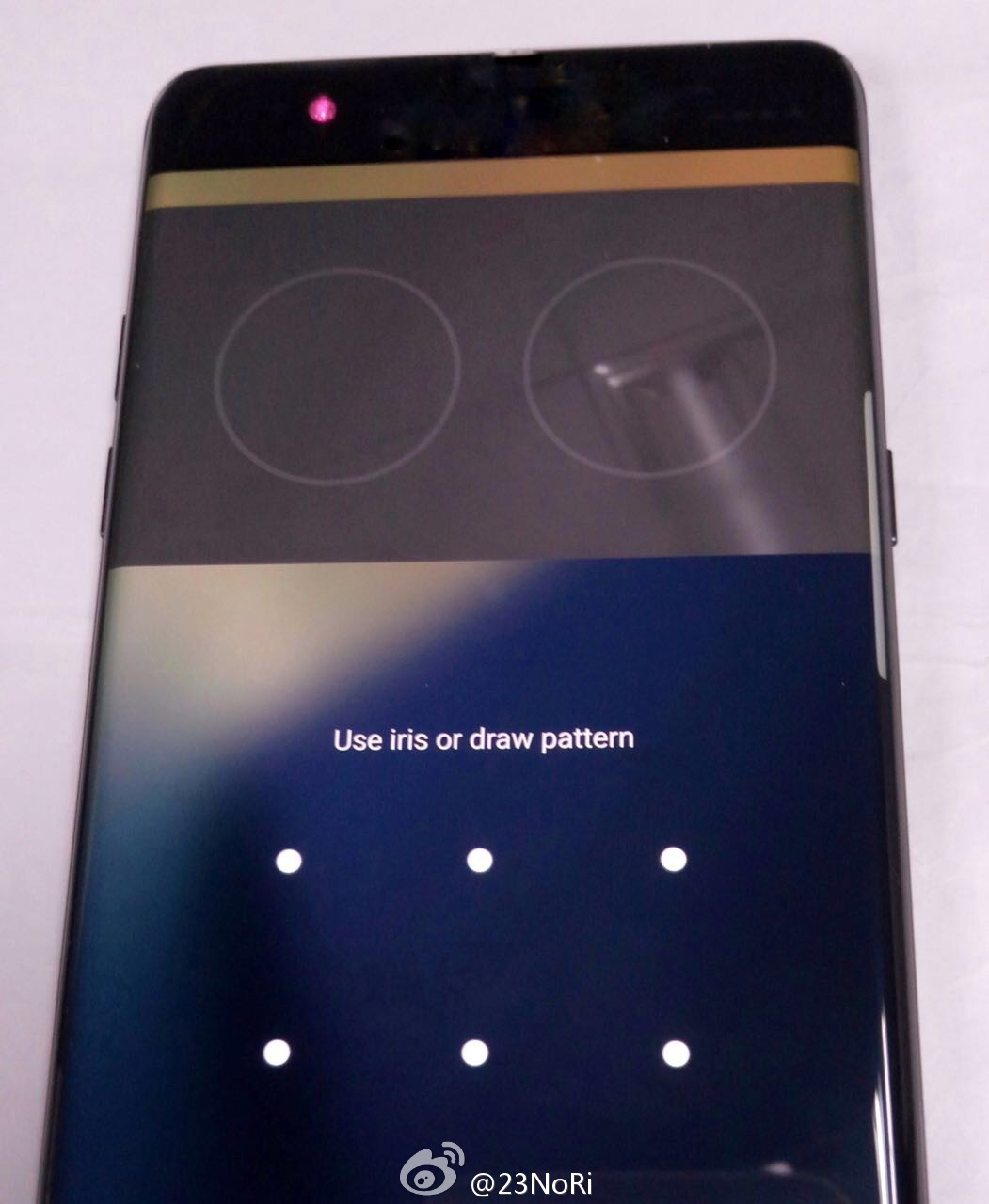
    Galaxy Note 7 Iris scanner working

    Samsung has not confirmed any of the leaked specs so far so we will have to wait till August 2 to know what it true and what is not.

    Read More: Samsung Galaxy Note 7 Photos Leak Confirming Its Curved Edges and Display

    galaxy note 7 Samsung
    Kaluka wanjala
    • Website
    • Facebook
    • X (Twitter)
    • LinkedIn

    Editor at TechArena. I cover all things technology and review new gadgets as I get them. You can reach me on email: [email protected]

    Related Posts

    OPPO Kenya Set to Launch Reno15 Series on 23 January

    January 13, 2026

    Samsung Unveils “Your Companion to AI Living” at CES 2026

    January 9, 2026

    Samsung Makes the Case for Open Ecosystems at CES 2026 Tech Forum

    January 9, 2026

    Comments are closed.

    Latest Posts

    OPPO A6x Specifications and Price in Kenya

    January 13, 2026

    Kenya’s Mamy Eyewear Lands Strategic Investment from Japan’s Ikemori Venture Support

    January 13, 2026

    OPPO Kenya Set to Launch Reno15 Series on 23 January

    January 13, 2026

    Microsoft Kenya Country Manager Phyllis Migwi to Exit Role After 3.5 Years

    January 13, 2026
    Advertisement
    Editor's Pick

    Looking Ahead in 2026 and the Forces that Will Shape Africa’s Digital Future

    January 12, 2026

    How to Check the 2025 KCSE Examination Results Online

    January 9, 2026

    What You Need to Know About KESONIA, Kenya’s New Benchmark Interest Rate

    January 6, 2026

    BeyondTheCode.ai at CATS Nairobi: Inside Africa’s Blockchain and AI Story

    January 1, 2026
    © 2026 TechArena.. All rights reserved.
    • Home
    • Startups
    • Reviews

    Type above and press Enter to search. Press Esc to cancel.