


Close Menu

    Subscribe to Updates

    Get the latest tech news

    Facebook X (Twitter) Instagram
    TechArenaTechArena
    • Home
    • News
    • Reviews
    • Features
      • Top 5
    • Startups
    • Contact
    Facebook X (Twitter) Instagram
    TechArenaTechArena
    Home»Apps»You Can Now Reverse M-Pesa Transactions Through the mySafaricom App, Here’s How
    Apps

    You Can Now Reverse M-Pesa Transactions Through the mySafaricom App, Here’s How

    Kaluka wanjalaBy Kaluka wanjalaFebruary 19, 2019Updated:August 15, 20252 Mins Read
    Facebook Twitter Telegram LinkedIn WhatsApp Email Pinterest
    MySafaricom app
    MySafaricom app
    Share
    Facebook Twitter LinkedIn WhatsApp Telegram

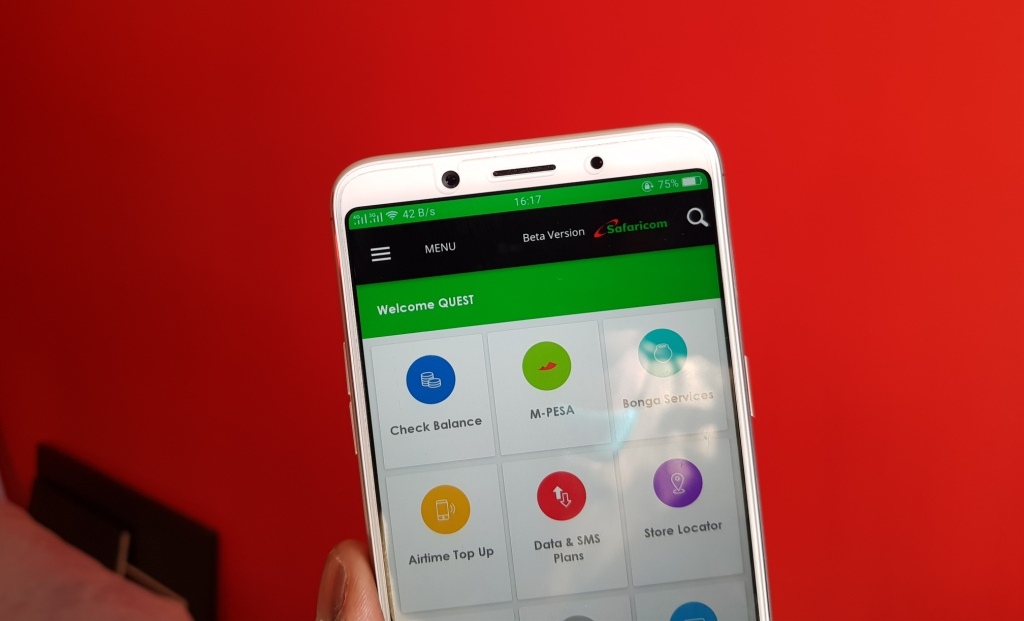
    afaricom has updated the mySafaricom app (the beta version at least) with new features and one of them lets you reverse M-Pesa transactions using the app. If you have ever sent money to the wrong person, then you know the process of reversing the transaction is not the smoothest one. Over the years, Safaricom has simplified the process that was way too complicated back in the day.

    From today, if you happen to send money to the wrong person, you can reverse the transaction easily using the mySafaricom App. I am a big fan of this app as I find it a better option, pun intended. You can use the app to find the different services Safaricom offers and is user friendly compared to the STK menu.

    The option to use mySafaricom app to reverse a transaction is available on the latest version of the app, version 1.4.0.8 (available in beta), on the Google Play Store. You can get the updated app here.

    How to Reverse M-Pesa Transactions Using the mySafaricom App

    SO, how do you reverse a transaction? Well, the process is simple and you can complete it in less than a minute.

    Open mySafaricom App

    Navigate to the M-Pesa Menu

    Tap on the ‘Mini Statement’ Menu at the bottom of the display.

    From the mini statement, tap on the green arrow (on the right) on the transaction you want to reverse.

    You will get a prompt asking you if you really want to reverse the transaction, tap yes and you are good to go.
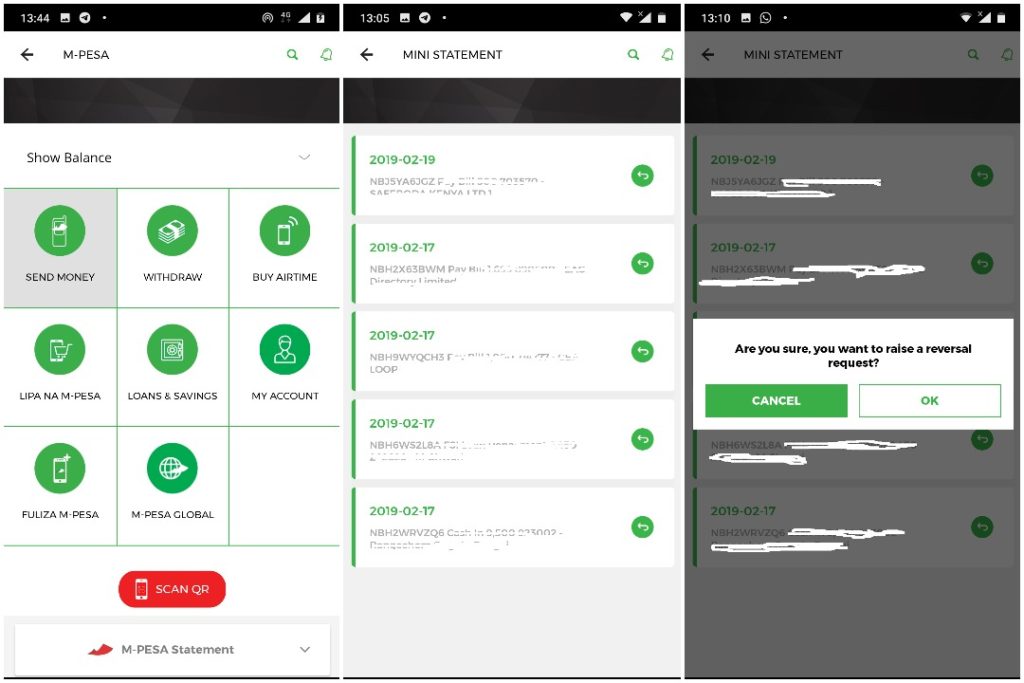
    MPesa reversal mysafaricom app

    Prepaid Usage Statement

    Besides M-Pesa reversals through the app, the update also lets users see their last 10 transactions and any charges they incurred.
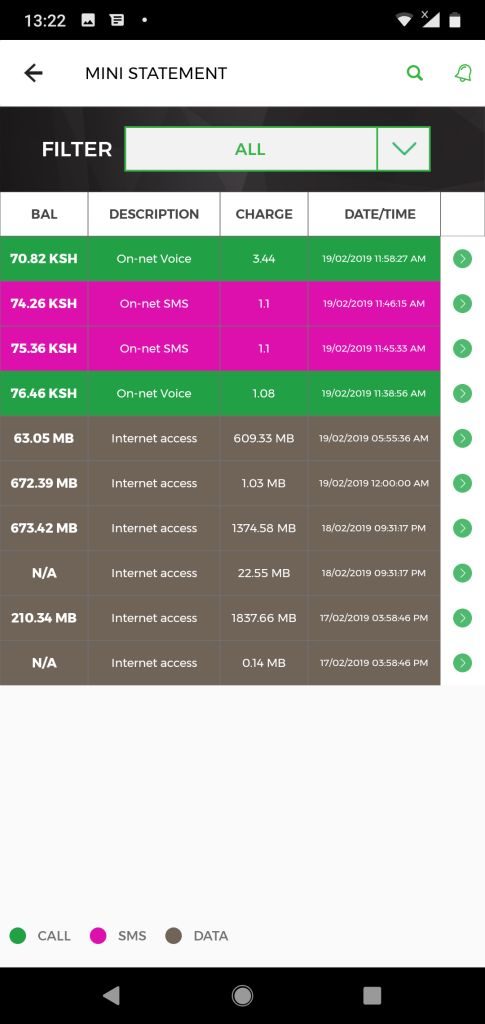
    prepaid usage statement

    You can access the prepaid usage statement through the ‘Çheck Balance’ Menu. If you have the ‘Platinum UI’ version of the mySafaricom app, you can access this by tapping on the Menu at the top right section and then tap on ‘My Bill’, you will see the Prepaid Usage Statement.

    Now Read: What You Need to Know About the New “All in One Monthly Bundles” From Safaricom

    MySafaricom app safaricom
    Kaluka wanjala
    • Website
    • Facebook
    • X (Twitter)
    • LinkedIn

    Editor at TechArena. I cover all things technology and review new gadgets as I get them. You can reach me on email: [email protected]

    Related Posts

    MYDAWA Stabilizes Platform After Major Upgrade

    December 18, 2025

    Safaricom Lists Kenya’s Largest Green Bond as Retail Investors Take 96% of Applications

    December 17, 2025

    How to Bridge your Imagination and Reality This Festive Season with Galaxy AI

    December 16, 2025

    Comments are closed.

    Latest Posts

    How Casino Bonuses Define Your Experience in Online Casinos

    December 22, 2025

    250 Youth in Dagoretti North Graduate from Huawei’s DigiTruck Digital Skills Programme

    December 19, 2025

    UAE’s $1B AI for Development Fund Opens Door for Kenya’s National AI Strategy

    December 19, 2025

    Qualcomm Announces Successful Completion of Make in Africa Startup Mentorship Program 2025

    December 19, 2025
    Advertisement
    Editor's Pick

    TechArena to Break New Documentary Series Telling Africa’s Blockchain and AI Story From Nairobi

    December 18, 2025

    [Op-Ed] How Safaricom Is Helping Enterprises Build Cyber Resilience

    December 17, 2025

    [Op-Ed] From Generative to Agentic: How Kenya’s AI Future Will Be Built on Trust, Data and Practical Automation

    December 16, 2025

    Inside Ampersand the Startup Powering East Africa’s Electric Motorcycles

    December 11, 2025
    © 2025 TechArena.. All rights reserved.
    • Home
    • Startups
    • Reviews

    Type above and press Enter to search. Press Esc to cancel.