


Close Menu

    Subscribe to Updates

    Get the latest tech news

    Facebook X (Twitter) Instagram
    TechArenaTechArena
    • Home
    • News
    • Reviews
    • Features
      • Top 5
    • Startups
    • Contact
    Facebook X (Twitter) Instagram
    TechArenaTechArena
    Home»Apps»Installing A Third Party Launcher On Your Huawei Smartphone
    Apps

    Installing A Third Party Launcher On Your Huawei Smartphone

    Kaluka wanjalaBy Kaluka wanjalaAugust 15, 20162 Mins Read
    Facebook Twitter Telegram LinkedIn WhatsApp Email Pinterest
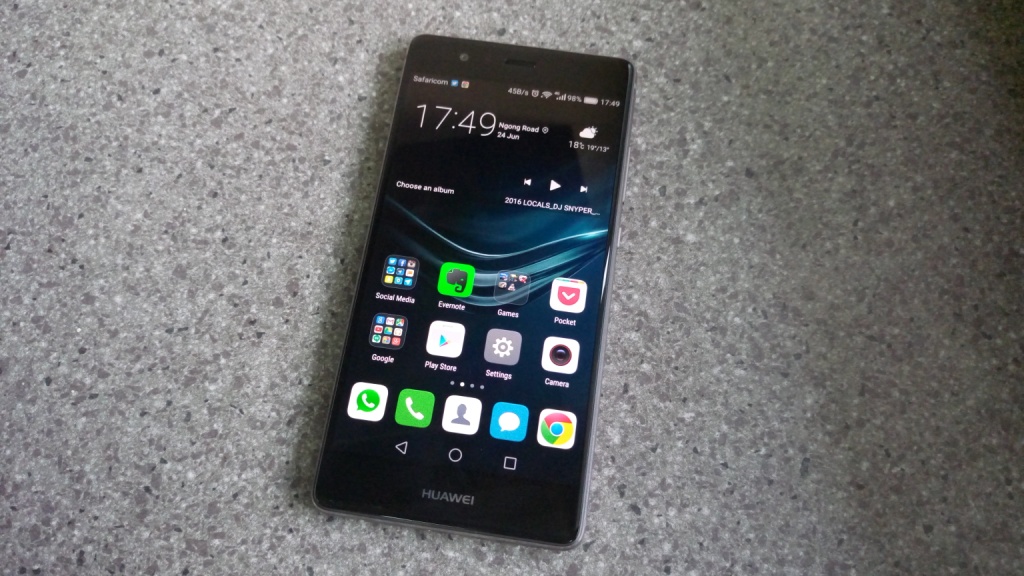
    Huawei P9 display
    Huawei P9 display
    Share
    Facebook Twitter LinkedIn WhatsApp Telegram

    One of the things that make Android so appealing is the ability to customize it to your liking. Downloading and installing custom third-party launchers is one way to customize your phone. For most Android smartphones, installing a third party launcher is pretty simple and straightforward but that is not the case for Huawei devices. Huawei has changed things a bit and getting to know how to go about this can be confusing.

    With most Android smartphones, the process of getting your third party launcher to work and take over from the default launcher is the same but for some reason Huawei decided to complicate things for its users. I found this out last week when I tried to install the Nexus launcher to the Huawei P9, the app installs perfectly but when I pressed the home button, I was taken back to Huawei’s default launcher. With most other phones, once you install the third party launcher and activate it, you are good to go or better yet, you will be prompted to pick the launcher you want to use when you press the home button.

    I finally got the steps to follow if you have a Huawei smartphone and have been having troubles activating a third party launcher. As I mentioned above, I am using the Huawei P9 with EMUI 4.1 but am pretty sure it works with almost all Huawei smartphones.

    1. Download the third party launcher from the Google Play Store and Install it
    2. With the launcher fully installed, head over to the settings and tap on ‘apps’
    3. Tap on the ‘advanced’ tab at the bottom left section of the apps page
    4. When open, choose ‘Default App Settings’ and on the next page tap on ‘Launcher’
    5. You will see a list of launchers installed on your phone, choose the one you want to be your default launcher
    6. You will be prompted to confirm your selection to change from the default launcher, choose to accept and you are good to go
    7. The launcher is installed and activated at this point so feel free to press the home button to see it in action.

    If you want to return to the default launcher, repeat the steps above.

    Also Read: The Huawei P9 Review

    huawei
    Kaluka wanjala
    • Website
    • Facebook
    • X (Twitter)
    • LinkedIn

    Editor at TechArena. I cover all things technology and review new gadgets as I get them. You can reach me on email: [email protected]

    Related Posts

    TikTok for Business Is Reshaping How Kenyan Brands Do Digital Advertising

    February 3, 2026

    Huawei Launches ICT Competition 2025/26 Bootcamp in Kenya

    January 28, 2026

    250 Youth in Dagoretti North Graduate from Huawei’s DigiTruck Digital Skills Programme

    December 19, 2025

    Comments are closed.

    Latest Posts

    NCBA Becomes First Bank in East & Central Africa to Achieve Dual ISO 27001 and 27701 Certifications

    February 9, 2026

    Watu Backs Kenya’s New E-Mobility Policy as Catalyst for EV Financing and Clean Transport Growth

    February 9, 2026

    Absa, Microsoft and Women in Tech Expand ElevateHer AI Programme Across Nine African Markets

    February 6, 2026

    LG Positions Africa as Key Growth Frontier for AI-Powered Smart Home Expansion at InnoFest 2026 MEA

    February 6, 2026
    Advertisement
    Editor's Pick

    Deepfake Scams and AI-Generated Malware Are Now Top Cyber Risks for Kenya, ESET Warns

    February 5, 2026

    The Smartphone as an AI Platform: What On-Device AI Really Means for Africa

    February 4, 2026

    What You Need to Know About Kenya’s National Electric Mobility Policy (e-Mobility Policy)

    February 4, 2026

    How Data Centers Are Reshaping Africa’s Power Market

    February 2, 2026
    © 2026 TechArena.. All rights reserved.
    • Home
    • Startups
    • Reviews

    Type above and press Enter to search. Press Esc to cancel.