


Close Menu

    Subscribe to Updates

    Get the latest tech news

    Facebook X (Twitter) Instagram
    TechArenaTechArena
    • Home
    • News
    • Reviews
    • Features
      • Top 5
    • Startups
    • Contact
    Facebook X (Twitter) Instagram
    TechArenaTechArena
    Home»Apps»Firefox 84 Adds Native Support for Apple Silicon
    Apps

    Firefox 84 Adds Native Support for Apple Silicon

    Alvin WanjalaBy Alvin WanjalaDecember 17, 20202 Mins Read
    Facebook Twitter Telegram LinkedIn WhatsApp Email Pinterest
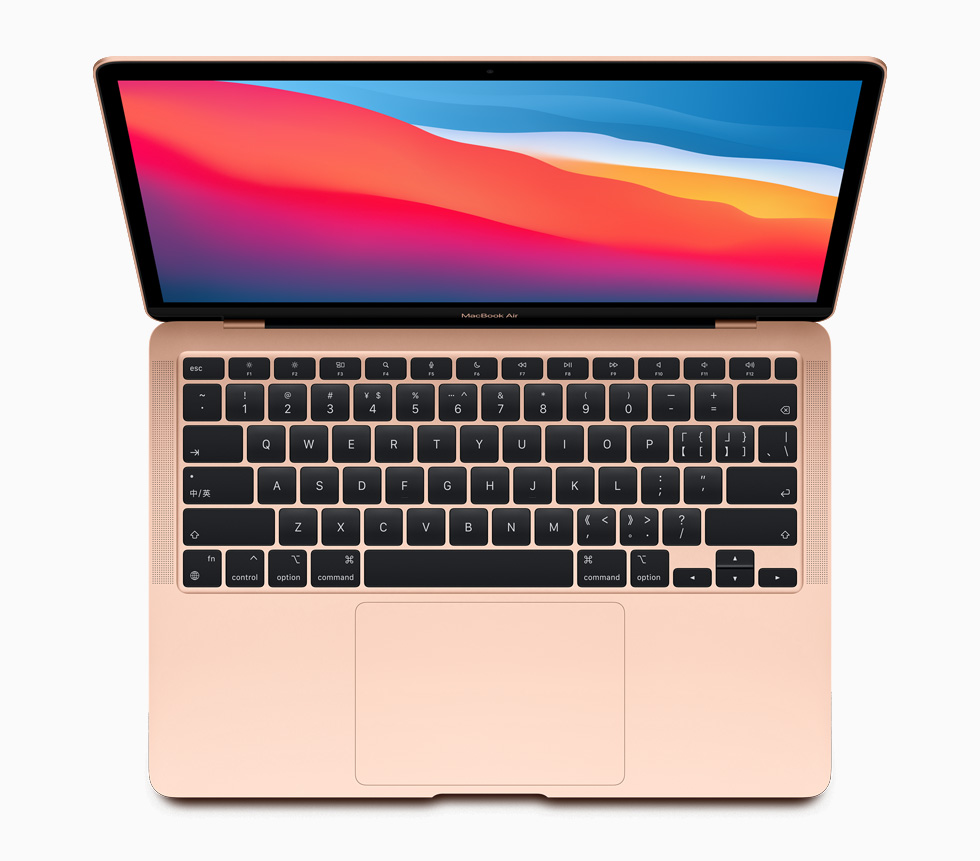
    Apple new macbookair wallpaper screen 11102020 big
    Apple new macbookair wallpaper screen 11102020 big
    Share
    Facebook Twitter LinkedIn WhatsApp Telegram

    Apple made a paradigm shift by deciding to switch from Intel-based processors to its own Silicon. The dramatic change has seen massive improvements on the new 13-inch MacBook Air, Pro, and Mac mini in both battery life and performance — that reviewers unanimously praised.

    To ensure better app compatibility since the underlining architecture was changed, the company unveiled Universal apps and included Rosetta 2 package, ensuring backward compatibility. Although apps meant for Intel-based macs can still run on M1-powered Macs, native support means that apps can utilize all the new power available on the new chip.

    Google Chrome was the first third-party browser to add native support for Apple Silicon, and Mozilla is now doing the same. In the latest Firefox 84 update, Mozilla has added native support for Apple Silicon, based on the ARM64 architecture.

    All you need to do is exit the browser, which should see it update to version 84, then restart.  Firefox promises faster performance and an improvement in battery life.

    According to Firefox, version 84 with native support for Apple Silicon launches 2.5 faster, and web apps respond twice as fast.

    Installing Rosetta 2 package is also needed to help you avoid errors while streaming Netflix, Hulu, Disney+, Prime, or any other DRM service.

    Check out this handy guide on how to install Rosetta 2.

    Read Next: Microsoft Adds Support for iCloud Accounts in new Outlook for Mac.

    Apple firefox M1 Chip
    Alvin Wanjala
    • Facebook
    • X (Twitter)
    • Instagram

    Alvin Wanjala has been writing about technology for over 2 years(and counting). He writes about different topics in the consumer tech space. He loves streaming music, programming, and gaming during downtimes.

    Related Posts

    LOOP Unveils New Device Financing Service in Partnership with bolttech

    December 5, 2025

    Access Bank Kenya and National Bank of Kenya Launch W Initiative to Expand Financing for Women Entrepreneurs

    December 5, 2025

    Genetec predicts top physical security trends for 2026

    December 5, 2025

    Comments are closed.

    Latest Posts

    LOOP Unveils New Device Financing Service in Partnership with bolttech

    December 5, 2025

    Access Bank Kenya and National Bank of Kenya Launch W Initiative to Expand Financing for Women Entrepreneurs

    December 5, 2025

    Genetec predicts top physical security trends for 2026

    December 5, 2025

    NETSCOUT presents the ‘soundtrack’ of IT network experts as the year winds down

    December 5, 2025
    Advertisement
    Editor's Pick

    Sovereignty emerges as the defining cloud challenge for EMEA enterprises

    December 2, 2025

    [Op-Ed] Unlocking Peak Productivity: Three steps to unlocking the agentic enterprise future

    December 1, 2025

    How Safaricom’s Digital Infrastructure is Helping Kenyan Businesses Build Resilience

    November 28, 2025

    The next outage is coming – is your organisation prepared?

    November 27, 2025
    © 2025 TechArena.. All rights reserved.
    • Home
    • Startups
    • Reviews

    Type above and press Enter to search. Press Esc to cancel.