


Close Menu

    Subscribe to Updates

    Get the latest tech news

    Facebook X (Twitter) Instagram
    TechArenaTechArena
    • Home
    • News
    • Reviews
    • Features
      • Top 5
    • Startups
    • Contact
    Facebook X (Twitter) Instagram
    TechArenaTechArena
    Home»Apps»Microsoft Edge Browser Is Now Available to All Android and iOS Users
    Apps

    Microsoft Edge Browser Is Now Available to All Android and iOS Users

    Kaluka wanjalaBy Kaluka wanjalaDecember 1, 20172 Mins Read
    Facebook Twitter Telegram LinkedIn WhatsApp Email Pinterest
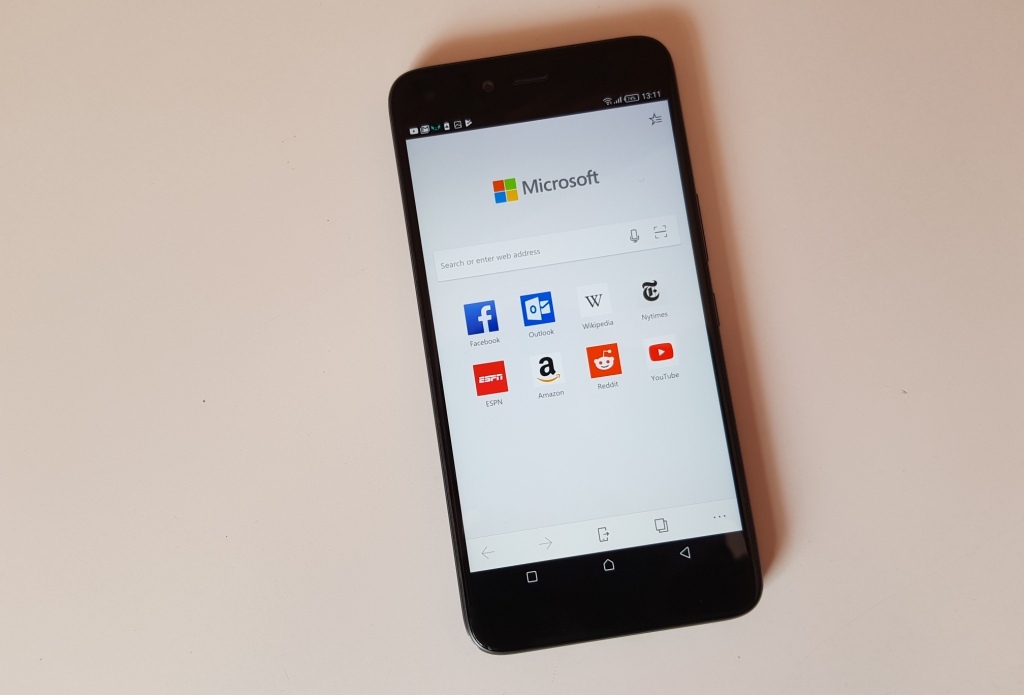
    Microsoft edge for android 1
    Microsoft edge for android 1
    Share
    Facebook Twitter LinkedIn WhatsApp Telegram

    Not so long ago, Microsoft brought its new browser, Microsoft Edge, to Android. The browser has been available on the platform but in beta only. Microsoft has been working on the app and thus that was not the final release and those who chose to download it were warned about it not being stable.

    For those who have been waiting for the final build of Microsoft Edge, the wait is finally over as the browser is out of beta. This means that you can download Microsoft Edge on your Android and even iOS device.

    Microsoft introduced the Edge browser when it launched Windows 10 a couple of years back. The browser has been available exclusively on Windows PCs and Windows 10 mobile devices. Given that there isn’t a promising future for Windows 10 Mobile, Microsoft has finally decided to bring the browser to Android and iOS users. Better late than never, right?

    With the late arrival of Microsoft Edge to Android and iOS, I doubt it will have that big of an impact. Microsoft should have brought this browser to iOS and Android back when Windows 10 was still new on the market. With many people using the OS, it would have been easier to convince them to use Microsoft Edge on their PCs and thus doing the same for their mobile devices would not be hard.

    Edge on mobile does not do anything out of the ordinary when compared to the other browsers you can find on both Android and iOS. It is designed to those who are using the browser on their desktops and want to sync with their smartphones to get browsing history, passwords, logins, and open tabs.

    If you want Microsoft Edge on your mobile device, head over to your specific app store and download it.

    https://www.youtube.com/watch?v=Q8pbqba6rzY

    Also Read: Microsoft Claims That Edge Browser Consumes Less Power Compared To Other Browsers

    android ios Microsoft microsoft edge
    Kaluka wanjala
    • Website
    • Facebook
    • X (Twitter)
    • LinkedIn

    Editor at TechArena. I cover all things technology and review new gadgets as I get them. You can reach me on email: [email protected]

    Related Posts

    MYDAWA Stabilizes Platform After Major Upgrade

    December 18, 2025

    How to Bridge your Imagination and Reality This Festive Season with Galaxy AI

    December 16, 2025

    Airtel Money Enables Direct Showmax Payments for Kenyan Subscribers

    December 16, 2025

    Comments are closed.

    Latest Posts

    250 Youth in Dagoretti North Graduate from Huawei’s DigiTruck Digital Skills Programme

    December 19, 2025

    UAE’s $1B AI for Development Fund Opens Door for Kenya’s National AI Strategy

    December 19, 2025

    Qualcomm Announces Successful Completion of Make in Africa Startup Mentorship Program 2025

    December 19, 2025

    Rwanda-Based Fintech Kayko Raises $1.2 Million Seed Round

    December 19, 2025
    Advertisement
    Editor's Pick

    TechArena to Break New Documentary Series Telling Africa’s Blockchain and AI Story From Nairobi

    December 18, 2025

    [Op-Ed] How Safaricom Is Helping Enterprises Build Cyber Resilience

    December 17, 2025

    [Op-Ed] From Generative to Agentic: How Kenya’s AI Future Will Be Built on Trust, Data and Practical Automation

    December 16, 2025

    Inside Ampersand the Startup Powering East Africa’s Electric Motorcycles

    December 11, 2025
    © 2025 TechArena.. All rights reserved.
    • Home
    • Startups
    • Reviews

    Type above and press Enter to search. Press Esc to cancel.