


Close Menu

    Subscribe to Updates

    Get the latest tech news

    Facebook X (Twitter) Instagram
    TechArenaTechArena
    • Home
    • News
    • Reviews
    • Features
      • Top 5
    • Startups
    • Contact
    Facebook X (Twitter) Instagram
    TechArenaTechArena
    Home»Apps»Microsoft to Release Windows 10 Mobile Update On July 29
    Apps

    Microsoft to Release Windows 10 Mobile Update On July 29

    Kaluka wanjalaBy Kaluka wanjalaMay 17, 2016Updated:August 15, 20252 Mins Read
    Facebook Twitter Telegram LinkedIn WhatsApp Email Pinterest
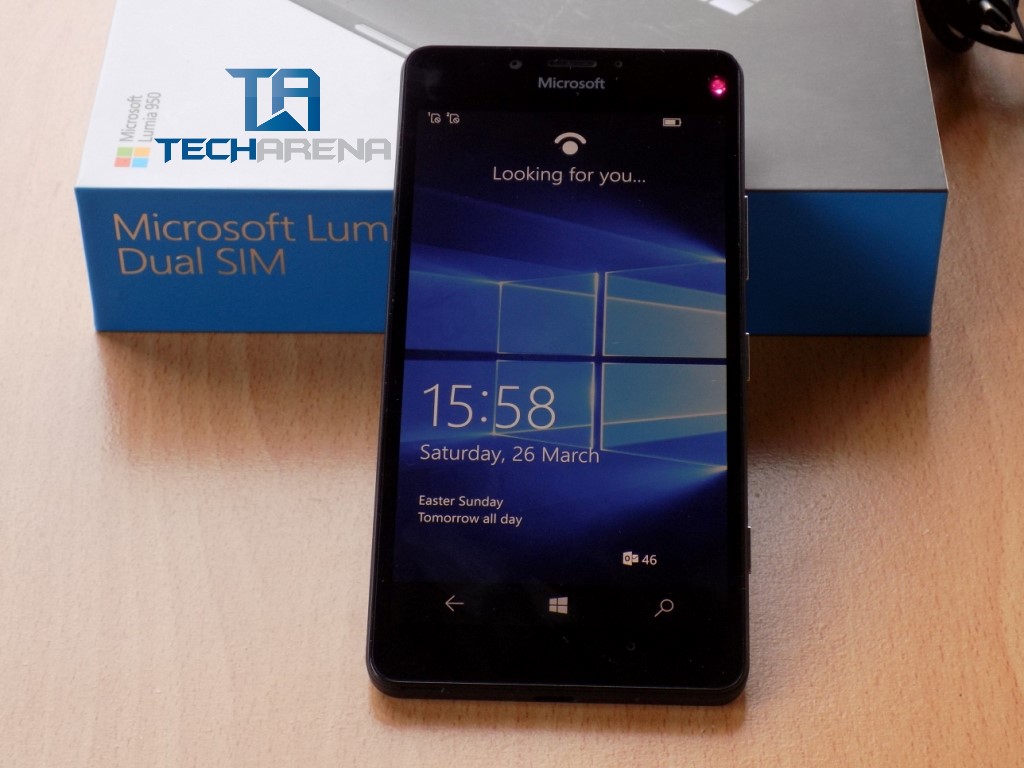
    Lumia 950 out of the box
    Lumia 950 out of the box
    Share
    Facebook Twitter LinkedIn WhatsApp Telegram

    Back in July 29 2015, Microsoft officially announced Windows 10 which showed what the company has planned for the future of its popular desktop OS. This update was referred to as ‘Threshold’ as it shows a change in strategy for the company. Microsoft confirmed that it will start rolling out regular updates instead of releasing a new OS every year.

    As we get close to July 29, we should start preparing ourselves for the next Windows 10 update. This update is titled ‘Anniversary’ and will bring come changes to the platform. This is a huge update for Microsoft and it will determine if the company’s new plan is viable or not.

    Below is a leaked timeline confirming that Microsoft will be launching the Windows 10 Anniversary update on July 29.

    Windows 10 Anniversary Update Timeline
    Windows 10 Anniversary Update Timeline

    Some of the changes the Anniversary update brings to Windows 10 Mobile include improved continuum. One major thing this update will bring is support for touch-enabled external screens. Sending images to Windows 10 PCs will be easier as long as they are both logged in to the same account.

    With the Anniversary update, you will also be able to make phone calls directly from your PC instead of having to do so from your phone.

    Besides updated continuum features, there will also be minor changes to browser setting. Users will be able to open links from apps using any browser they want. Right now, you can only use Edge browser to do so and some users don’t like it since they feel like they are being forced to use Edge browser. Still on the Edge browser, you will be able to swipe back and forward by swiping left and right.

    These are just some of the changes but we should expect more come July 29.

    Read: Microsoft Plans to Add Support for Fingerprint Sensors in Windows 10 Mobile This Year

    Microsoft windows 10 windows 10 mobile
    Kaluka wanjala
    • Website
    • Facebook
    • X (Twitter)
    • LinkedIn

    Editor at TechArena. I cover all things technology and review new gadgets as I get them. You can reach me on email: [email protected]

    Related Posts

    Binance Launches ‘Binance Junior’ Crypto Savings Account for Kids and Teens 

    December 3, 2025

    Bolt and Gebeya Partner to Offer Affordable Transport to Africa’s Service Workforce

    December 3, 2025

    Safaricom Ethiopia Launches M-PESA LeHulum, a Telco-Agnostic Mobile Money Platform for All Ethiopians

    December 2, 2025

    Comments are closed.

    Latest Posts

    Neeraj Pradhan appointed as CEO of Liquid Intelligent Technologies Kenya

    December 12, 2025

    Inside Ampersand the Startup Powering East Africa’s Electric Motorcycles

    December 11, 2025

    Visa Showcases 22 Startups at Africa Fintech Accelerator Demo Day in Cape Town

    December 11, 2025

    Airtel Money Partners With I&M Bank To Expand Digital Payments Reach Across Kenya

    December 11, 2025
    Advertisement
    Editor's Pick

    Inside Ampersand the Startup Powering East Africa’s Electric Motorcycles

    December 11, 2025

    What You Need to Know About KCB and Visa’s New Tap to Phone Payment Solution in Kenya

    December 11, 2025

    Accelerated entry: How East Africa Leapfrogged into the Cloud Age

    December 11, 2025

    How Buying Data on M-PESA Opened New Doors for Sheila

    December 10, 2025
    © 2025 TechArena.. All rights reserved.
    • Home
    • Startups
    • Reviews

    Type above and press Enter to search. Press Esc to cancel.