



Close Menu

    Subscribe to Updates

    Get the latest tech news

    Facebook X (Twitter) Instagram
    TechArenaTechArena
    • Home
    • News
    • Reviews
    • Features
      • Top 5
    • Startups
    • Contact
    Facebook X (Twitter) Instagram
    TechArenaTechArena
    Home»Apps»APP OF THE WEEK: Dukto
    Apps

    APP OF THE WEEK: Dukto

    Saruni MainaBy Saruni MainaApril 4, 2016Updated:August 14, 20252 Mins Read
    Facebook Twitter Telegram LinkedIn WhatsApp Email Pinterest
    dukto
    dukto
    Share
    Facebook Twitter LinkedIn WhatsApp Telegram

    Sending huge files from one device to another can be a pain, especially if you’re using bluetooth and it’s even worse if you’re trying to send the file to someone who uses an iOS device. Well today we’re looking at an app that offers a great solution to this, best I have used so far.

    Dukto (please don’t ask me to pronounce it, I don’t know either), is a simple multi-platform file transfer application designed to work over a wireless or wired network. The beauty is in the simlicity of this app, all you have to do is ensure that the two devices you want to transfer the files across are both connected to the same wifi network, it doesn’t have to be a working network, so you can even create a network using your phone’s tethering capabilities. Don’t worry, Dukto does not require internet access to work, it just requires the network to use it as a medium to send the files.

    When both your devices are on the same wireless network, simply open the Dukto app on both devices and you should be able to see other connected devices in the “buddies” tab.
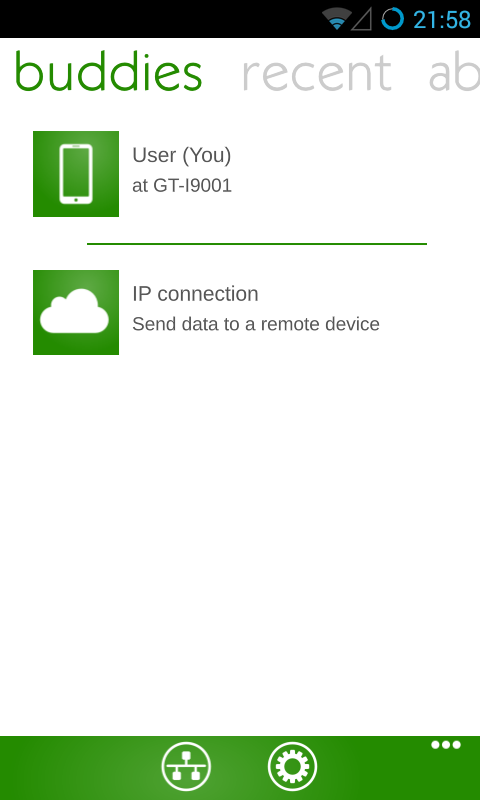
    Tap on the device you want to send the files to, navigate to the files and select them to be sent. That’s all you have to do, the files will be transferred, regardless of the size and it is way faster than bluetooth. Since its multi-platform, it  works across android and iOS, yes, even from your phone to your pc and vice versa.
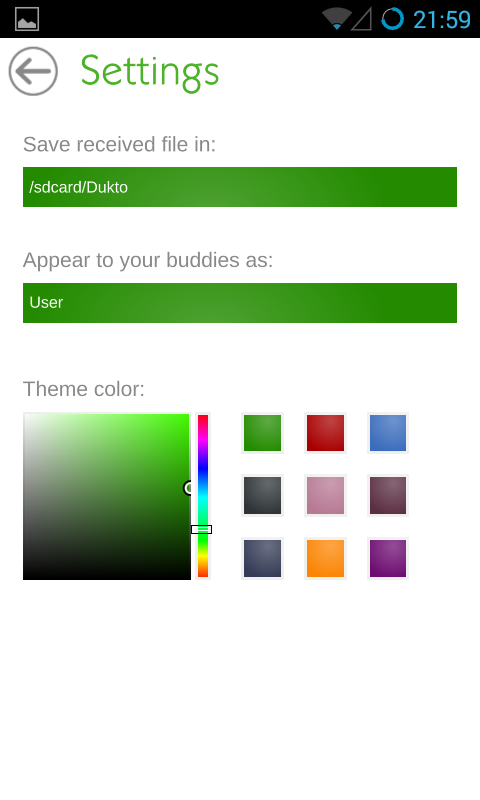
    If you don’t like the green color, you can always change it. You can also change the device name to your preference.
    Download Dukto on Android, iOS and you Computer (Windows, Mac OS and Linux)

    Last Week’s App: My Class Schedule

    App of the week
    Saruni Maina
    • Website
    • Facebook
    • X (Twitter)

    I'm all about mobile apps, gadgets and smartphones. I tell you what's worth getting and what sucks!

    Related Posts

    What You Need to Know About Ziidi Trader on M-PESA

    February 10, 2026

    TikTok for Business Is Reshaping How Kenyan Brands Do Digital Advertising

    February 3, 2026

    MYDAWA Stabilizes Platform After Major Upgrade

    December 18, 2025

    Comments are closed.

    Latest Posts

    Samsung Galaxy Unpacked Set for February 25

    February 16, 2026

    Why pawaPay Is Betting Africa’s Digital Future on Direct Mobile Money Infrastructure

    February 16, 2026

    Sitoyo Lopokoiyit Joins Absa as Personal & Private Banking CEO in Major Post–M-PESA Move

    February 13, 2026

    Westcon-Comstor Brings Meter’s Networking-as-a-Service to EMEA

    February 13, 2026
    Advertisement
    Editor's Pick

    Why pawaPay Is Betting Africa’s Digital Future on Direct Mobile Money Infrastructure

    February 16, 2026

    Deepfake Scams and AI-Generated Malware Are Now Top Cyber Risks for Kenya, ESET Warns

    February 5, 2026

    The Smartphone as an AI Platform: What On-Device AI Really Means for Africa

    February 4, 2026

    What You Need to Know About Kenya’s National Electric Mobility Policy (e-Mobility Policy)

    February 4, 2026
    © 2026 TechArena.. All rights reserved.
    • Home
    • Startups
    • Reviews

    Type above and press Enter to search. Press Esc to cancel.