



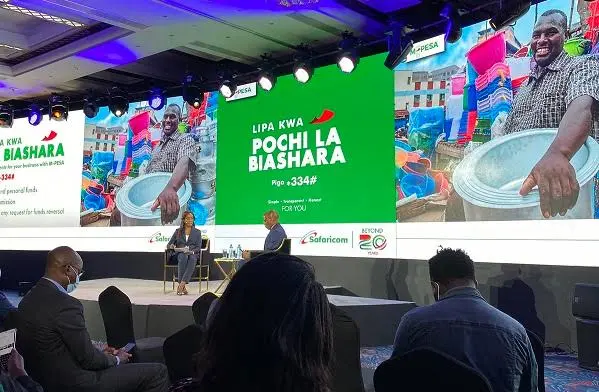
Pochi La Biashara is a mobile money service by Safaricom that allows business owners to separate their personal and business funds using a single M-Pesa line. It is designed for small business owners who want better control over their business income without needing a second SIM or line.
With this service, you can receive money to your account and have it separate from your personal M-Pesa balance. You just need your Safaricom number already registered to M-Pesa to use Pochi.
For small businesses, including food vendors, small kiosk owners, boda-boda operators, secondhand clothes dealers, etc. this is the perfect product. The separation of personal and business finances makes sure you do not use your business revenue for personal expenses.
Also Read: Safaricom Unveils Revamped Business Credit Solutions for MSMEs
How to Register for Pochi La Biashara
If you are thinking of how to self-register for Pochi la biashara, the process is easy and straightforward.
- You can only opt in via USSD by dialling *334#.
- Choose Pochi La Biashara.
- Select Join Pochi and Accept Terms and Conditions.
- Choose your Business Category from the menu provided.
Note: You must be an active M-Pesa user to access this service.
Key Benefits of Pochi La Biashara
- No paperwork – Quick, hassle-free registration.
- Separate wallets – Keep business and personal funds apart.
- Direct withdrawals – Withdraw funds directly from your Pochi account at an M-Pesa agent.
- Customer convenience – Accept payments through Lipa na Pochi, PayBill, or Buy Goods.
- Fraud prevention – Payments can’t be reversed without your approval.
- Earn commissions – Sell airtime and earn 5% commission.
- Mini statements – View recent transactions easily.
How to Withdraw Money from Pochi La Biashara
If you have money if your Pochi La Biasharan account, you can withdraw easily as you would any other way when using M-Pesa. In this case, you will have to choose ‘Withdraw from Pochi’ to complete the transaction.
- Visit any M-Pesa agent.
- Choose the Withdraw from Pochi account option.
- Present your ID and complete the process as usual.
What Are the Limits on Pochi La Biashara?
Pochi La Biashara has the same daily and transaction limits as standard M-Pesa.
- Maximum per transaction: KSh 250,000
- Daily limit: KSh 500,000
- Maximum account balance: KSh 500,000
How much does it cost to send money to Pochi La Biashara?
When sending money to Pochi, standard M-Pesa charges apply. You can see the tariffs here.
How to deposit money to pochi la biashara via M-PESA?
You can send money to a Pochi La Biashara account through the M-Pesa app, by dialling *334# or using the SIM toolkit. When accessing the M-Pesa menu, look for the ‘Pay’ or ‘Lipa na M-Pesa’ option and you will find Pochi La Biashara as well as the Pay Bill and Buy Goods and Services options.
Tap on Pochi La Biashara and enter the merchant’s phone number to complete the transaction.
For these and more stories, follow us on X (Formerly Twitter), Facebook, LinkedIn and Telegram. You can also send us tips or reach out at [email protected].
Also Read: How Safaricom Is Shaping FinTech 2.0 in Africa
