


Close Menu

    Subscribe to Updates

    Get the latest tech news

    Facebook X (Twitter) Instagram
    TechArenaTechArena
    • Home
    • News
    • Reviews
    • Features
      • Top 5
    • Startups
    • Contact
    Facebook X (Twitter) Instagram
    TechArenaTechArena
    Home»Apps»Facebook Expands Portability Tool to Cover Posts and Notes
    Apps

    Facebook Expands Portability Tool to Cover Posts and Notes

    Alvin WanjalaBy Alvin WanjalaApril 20, 20212 Mins Read
    Facebook Twitter Telegram LinkedIn WhatsApp Email Pinterest
    facebook portability tool
    facebook portability tool
    Share
    Facebook Twitter LinkedIn WhatsApp Telegram

    Facebook rolled out a portability tool last year, enabling users to easily transfer their photos to third-party cloud platforms, including Google Photos, Backblaze, Dropbox, and Koofr. The same tool is expanding and will now allow users to export their Facebook posts and notes.

    The latest expansion is part of Facebook’s plans to give people more control over their data. Facebook has come under fire in the past for mishandling user data. It previously lacked enough privacy controls to prevent data scraping.

    Since the costly Cambridge Analytica scandal, the company has pledged to offer users more control over their data and has implemented several privacy protocols to prevent data scraping. It has recently reiterated how it’s working to prevent the practice in a blog post.

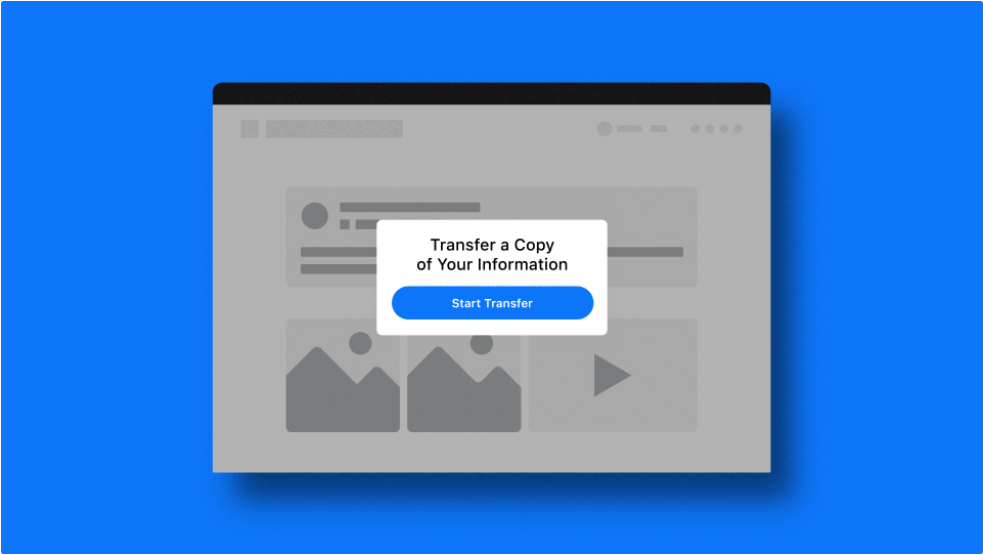
    The Photo Portability Tool has been renamed to “Transfer Your Information” to reflect the additional functionality. Using the new tool is pretty similar to transferring Facebook photos to Google Photos.

    How to Transfer your Facebook Posts and Notes

    1. Open your Facebook app and sign in(if you haven’t already)
    2. Tap the hamburger menu on the top right and scroll down to Settings and Privacy. Tap Settings and Privacy
    3. Select Settings, which will take you on a new page
    4. Scroll down to “Your Facebook Information,” then select “Transfer a Copy of Your Information.”
    5. You’ll then be taken through a series of steps, including confirmation of data transfer by entering your password.
    6. Follow the prompts to finish the process.

    Read Next: How to Transfer your iCloud Photos to Google Photos.

    facebook
    Alvin Wanjala
    • Facebook
    • X (Twitter)
    • Instagram

    Alvin Wanjala has been writing about technology for over 2 years(and counting). He writes about different topics in the consumer tech space. He loves streaming music, programming, and gaming during downtimes.

    Related Posts

    Absa, Microsoft and Women in Tech Expand ElevateHer AI Programme Across Nine African Markets

    February 6, 2026

    LG Positions Africa as Key Growth Frontier for AI-Powered Smart Home Expansion at InnoFest 2026 MEA

    February 6, 2026

    Cellulant Appoints Michael Muriuki as Chief Product & Technology Officer

    February 6, 2026

    Comments are closed.

    Latest Posts

    Absa, Microsoft and Women in Tech Expand ElevateHer AI Programme Across Nine African Markets

    February 6, 2026

    LG Positions Africa as Key Growth Frontier for AI-Powered Smart Home Expansion at InnoFest 2026 MEA

    February 6, 2026

    Cellulant Appoints Michael Muriuki as Chief Product & Technology Officer

    February 6, 2026

    Pin Up how to play and win instructions for experienced players

    February 6, 2026
    Advertisement
    Editor's Pick

    Deepfake Scams and AI-Generated Malware Are Now Top Cyber Risks for Kenya, ESET Warns

    February 5, 2026

    The Smartphone as an AI Platform: What On-Device AI Really Means for Africa

    February 4, 2026

    What You Need to Know About Kenya’s National Electric Mobility Policy (e-Mobility Policy)

    February 4, 2026

    How Data Centers Are Reshaping Africa’s Power Market

    February 2, 2026
    © 2026 TechArena.. All rights reserved.
    • Home
    • Startups
    • Reviews

    Type above and press Enter to search. Press Esc to cancel.