


Close Menu

    Subscribe to Updates

    Get the latest tech news

    Facebook X (Twitter) Instagram
    TechArenaTechArena
    • Home
    • News
    • Reviews
    • Features
      • Top 5
    • Startups
    • Contact
    Facebook X (Twitter) Instagram
    TechArenaTechArena
    Home»Features»It Is Android 10: Google Ditches the Dessert-Based Names for Android Versions
    Features

    It Is Android 10: Google Ditches the Dessert-Based Names for Android Versions

    Kaluka wanjalaBy Kaluka wanjalaAugust 23, 2019Updated:August 26, 20192 Mins Read
    Facebook Twitter Telegram LinkedIn WhatsApp Email Pinterest
    Android 10
    Android 10
    Share
    Facebook Twitter LinkedIn WhatsApp Telegram

    With the release of a new version of Android, we normally get to see what dessert name Google picks for it. The current publicly available version, Android 9 is also known as Android Pie. This naming system has been around from the beginning but Google is changing that with the next version of Android.

    Google announced yesterday that the next version of Android will be referred to as Android 10, no more sweet desserts after that. According to Google, the change in the naming system is to ensure they are accessible across different markets as previously not everyone was familiar with the one Google chose.

    The explanation by Google makes sense as it avoids any confusion since not everyone knows about desserts and to some people that naming system was not relatable.

    Speaking on this, Sameer Samat, VP of product management for Android said “Google’s actual reason for switching the naming isn’t that Q is hard, but rather that desserts aren’t very inclusive. We have some good names, but in each and every case they leave a part of the world out. Android is a global brand, used by more people in India and Brazil than in the U.S., so going with an English word for the dessert leaves some regions out. Pie isn’t always a dessert, ‘lollipop’ can be hard to pronounce in some regions, and ‘marshmallows’ aren’t really a thing in a lot of places. Numbers, at least, are universal.”

    Change in Logo and Mascot

    Besides the change in the naming system, Google also unveiled a new Android Logo and mascot. You may not care so much about this but you will see the changes from time to time.
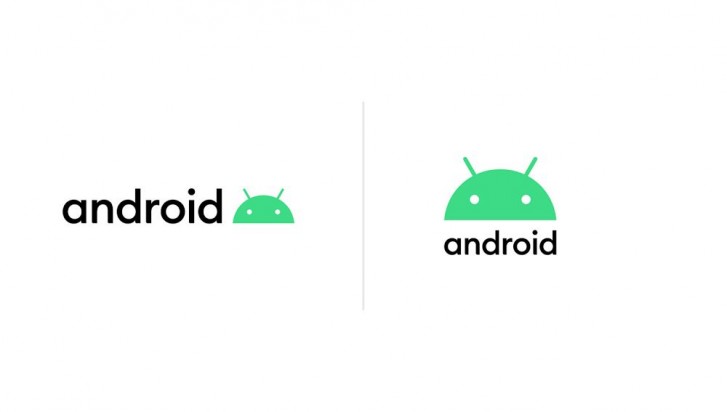
    Google has added a bit of blue to the green Android logo as the company says that the previous green colour was not visible to those with colour blindness. With green-red being the most common type of colour blindness, Google reckons that there is a good chance that a good number of people were not seeing the correct colour.

    Now Read: Android Q: Everything You Need To Know About The Next Android Version

    Android Q Google
    Kaluka wanjala
    • Website
    • Facebook
    • X (Twitter)
    • LinkedIn

    Editor at TechArena. I cover all things technology and review new gadgets as I get them. You can reach me on email: [email protected]

    Related Posts

    How Buying Data on M-PESA Opened New Doors for Sheila

    December 10, 2025

    Why endpoint security still anchors cyber resilience in Africa

    December 9, 2025

    Government Lists Nine Conditions Vodacom Must Meet Before Buying Safaricom Stake

    December 8, 2025

    Comments are closed.

    Latest Posts

    Play at CaptainsBet: One Site, Many Adventures

    December 10, 2025

    What Does Captains Bet Kenya Do Right?

    December 10, 2025

    i3 Announces New Healthtech Partnerships to Accelerate Access to Care Across Africa

    December 10, 2025

    How Buying Data on M-PESA Opened New Doors for Sheila

    December 10, 2025
    Advertisement
    Editor's Pick

    How Buying Data on M-PESA Opened New Doors for Sheila

    December 10, 2025

    Why endpoint security still anchors cyber resilience in Africa

    December 9, 2025

    Government Lists Nine Conditions Vodacom Must Meet Before Buying Safaricom Stake

    December 8, 2025

    The Cybersecurity Battle Shaping Africa’s Entertainment Future

    December 8, 2025
    © 2025 TechArena.. All rights reserved.
    • Home
    • Startups
    • Reviews

    Type above and press Enter to search. Press Esc to cancel.