



Close Menu

    Subscribe to Updates

    Get the latest tech news

    Facebook X (Twitter) Instagram
    TechArenaTechArena
    • Home
    • News
    • Reviews
    • Features
      • Top 5
    • Startups
    • Contact
    Facebook X (Twitter) Instagram
    TechArenaTechArena
    Home»Apps»APP OF THE WEEK: Slidebox – Easiest Way To Organize Your Photos
    Apps

    APP OF THE WEEK: Slidebox – Easiest Way To Organize Your Photos

    Saruni MainaBy Saruni MainaAugust 29, 20162 Mins Read
    Facebook Twitter Telegram LinkedIn WhatsApp Email Pinterest
    unnamed
    unnamed
    Share
    Facebook Twitter LinkedIn WhatsApp Telegram

    It’s been long since I actually found an app that genuinely excited me. Well, good news, I found one. Slidebox is an amazing simple app that makes organizing your photos a little easier. I know I am not alone when I say that sometines you go to your gallery and you can hardly find an image you are looking for, especially if you cannot remember if it was sent to you via bluetooth or WhatsApp.

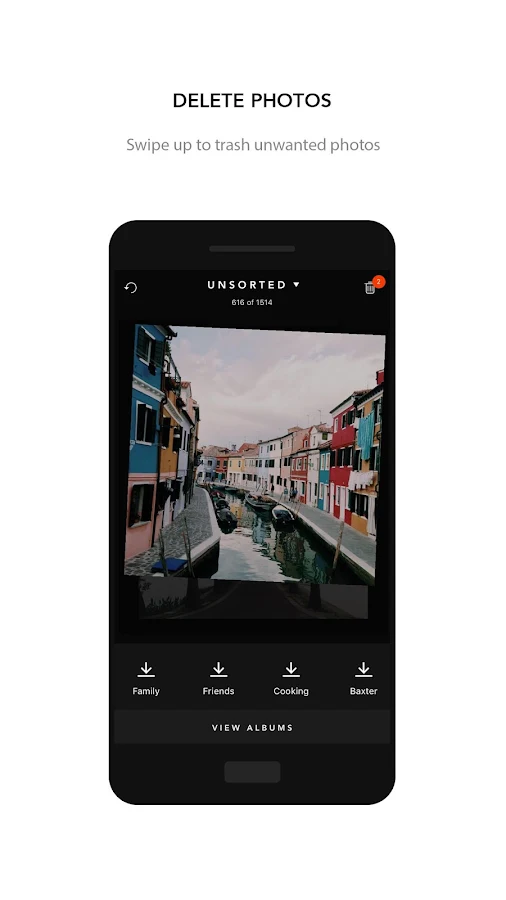
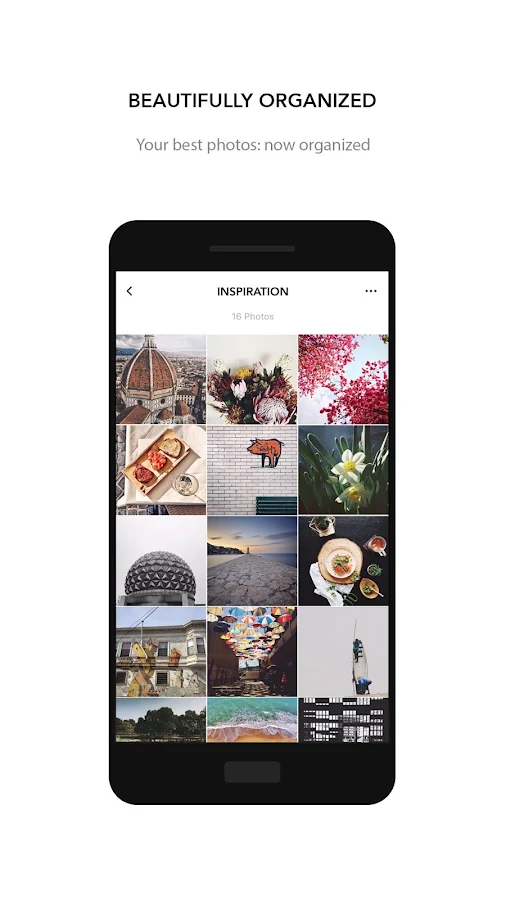
    Well, Slidebox aims to help you organize your gallery into something that you personally can enjoy viewing. This is done through simple gestures, such as swiping up, down or left. With Slidebox, there is no signing-in or a long set-up process. You simply open the app and voila! You have a fullscreen access to the images saved on your phone. Swiping a photo up will delete the photo from your phone, swiping it down will move it to an album of your choice (you can even create a new album from within Slidebox. Swiping left or right moves you to the next or previous photo respectively. You can even compare two similar photos to see which one you should keep and which one you should delete. Every action you perform on Slidebox will automatically be synced to your gallery meaning every album you create within the app will be created in your gallery as well, and every photo you delete?…
     

    The best part? Slidebox is completely free and available on both Android and iOS (I can hear iOS people cheering). Well, there’s one downside to the app though, it does not support SD card, this means that you cannot organize the photos on your SD Card, only those on your internal storage. However, the developers have promised to add this feature in a future update. Slidebox is a definite recommendation from me.

    Download Slidebox on Android

    Download Slidebox on iOS

    Last Week’s App: GameFans – A Must Have App For Gamers

    App of the week
    Saruni Maina
    • Website
    • Facebook
    • X (Twitter)

    I'm all about mobile apps, gadgets and smartphones. I tell you what's worth getting and what sucks!

    Related Posts

    Binance Launches ‘Binance Junior’ Crypto Savings Account for Kids and Teens 

    December 3, 2025

    Bolt and Gebeya Partner to Offer Affordable Transport to Africa’s Service Workforce

    December 3, 2025

    Safaricom Ethiopia Launches M-PESA LeHulum, a Telco-Agnostic Mobile Money Platform for All Ethiopians

    December 2, 2025

    Comments are closed.

    Latest Posts

    Send App by Flutterwave Launches Travel Card for Nigerians in Diaspora

    December 5, 2025

    LOOP Unveils New Device Financing Service in Partnership with bolttech

    December 5, 2025

    Access Bank Kenya and National Bank of Kenya Launch W Initiative to Expand Financing for Women Entrepreneurs

    December 5, 2025

    Genetec predicts top physical security trends for 2026

    December 5, 2025
    Advertisement
    Editor's Pick

    Sovereignty emerges as the defining cloud challenge for EMEA enterprises

    December 2, 2025

    [Op-Ed] Unlocking Peak Productivity: Three steps to unlocking the agentic enterprise future

    December 1, 2025

    How Safaricom’s Digital Infrastructure is Helping Kenyan Businesses Build Resilience

    November 28, 2025

    The next outage is coming – is your organisation prepared?

    November 27, 2025
    © 2025 TechArena.. All rights reserved.
    • Home
    • Startups
    • Reviews

    Type above and press Enter to search. Press Esc to cancel.