


Close Menu

    Subscribe to Updates

    Get the latest tech news

    Facebook X (Twitter) Instagram
    TechArenaTechArena
    • Home
    • News
    • Reviews
    • Features
      • Top 5
    • Startups
    • Contact
    Facebook X (Twitter) Instagram
    TechArenaTechArena
    Home»News»How to Switch Back Your Instagram Feed to Chronological Order
    News

    How to Switch Back Your Instagram Feed to Chronological Order

    Kaluka wanjalaBy Kaluka wanjalaApril 13, 20222 Mins Read
    Facebook Twitter Telegram LinkedIn WhatsApp Email Pinterest
    Instagram
    Instagram
    Share
    Facebook Twitter LinkedIn WhatsApp Telegram

    Instagram has had the algorithmic feed for a few years now. Even though this feed was meant to improve the user experience and make it easier for users to discover new accounts to follow, it Wasn’t that popular.  On this feed, users could see a mix of accounts they were following and recommended accounts.

    Not everyone was happy with seeing a bunch of accounts they were not following on their feed and this made the algorithmic feed quite unpopular. Instagram finally gave in to pressure and has decided to re-introduce the chronological feed, to some extent at least.

    The chronological feed was re-introduced in the latest update and it is still rolling out to some users.

    With the re-introduction of the chronological feed, Instagram provides users access to two different feeds. The company is calling these the ‘Following’ and ‘Favourites’ Feeds. Both these show content in Chronological order but they do serve different purposes.

    The Following feed shows content in chronological order from accounts that you follow. On this, you should see fewer suggested posts from accounts you do not follow. The Favourites feed on the other hand will show content from accounts that you have favourited.
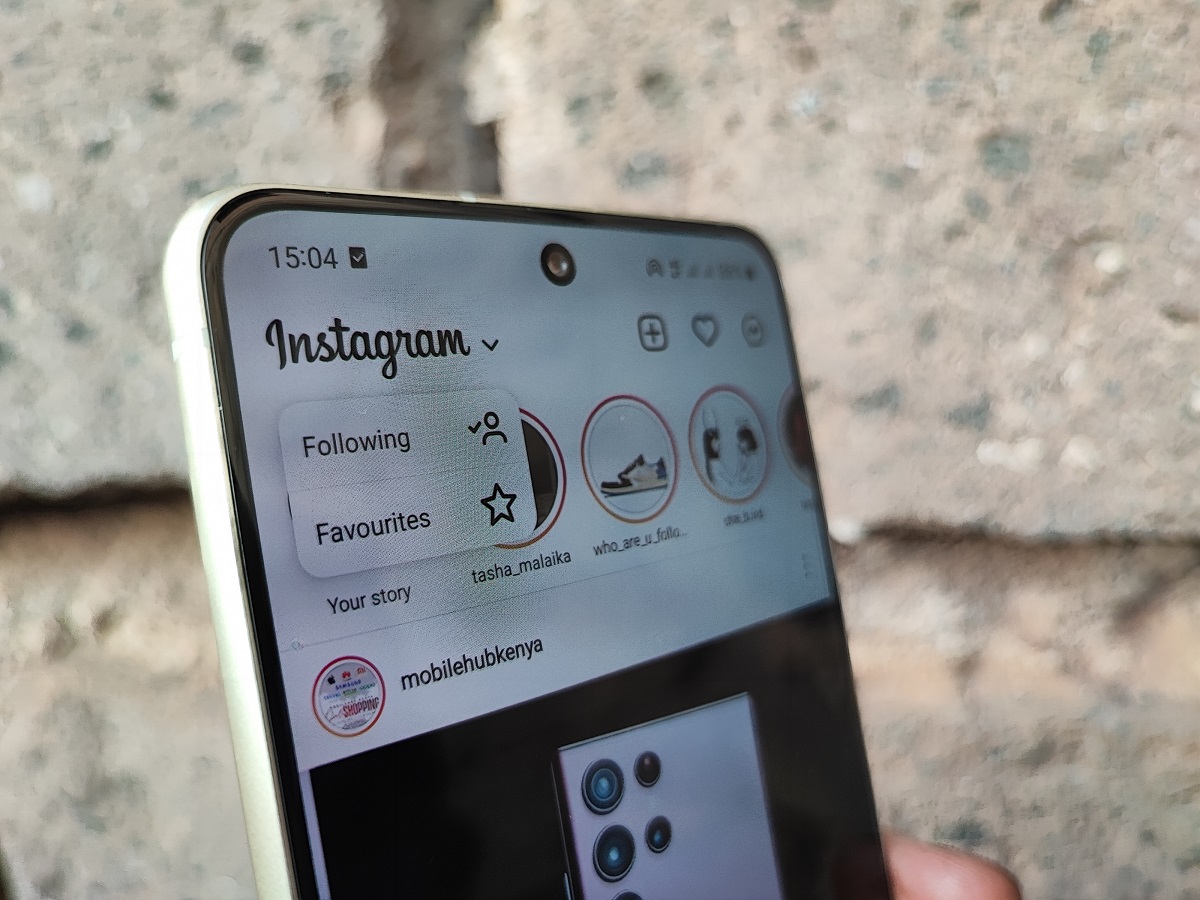
    Instagram following and favorites

    How to change to Instagram Following or Favourites Feeds

    • Open your Instagram app and tap on the Instagram logo on the top left section on the homepage.
    • A small menu will appear with the ‘Following’ and ‘Favourites’ options. Choose the one that you want.

    How to add accounts to your Instagram Favourites feed

    If you want to add accounts to your Instagram favourites feed, follow these steps:

    • Tap on the hamburger menu on the top right corner when on your Instagram profile page.
    • Choose the ‘Favourites’ option near the bottom of the menu.
    • From the suggested accounts, you can add the accounts you want to your favourites list or you can also type the name of the account you want to add.
    • Another way to add accounts is by visiting their profile page, follow the account and choose ‘Add to favourites.

    Read: WhatsApp Beta’s Latest Update Makes It Easier to start chats with unsaved contacts

    instagram
    Kaluka wanjala
    • Website
    • Facebook
    • X (Twitter)
    • LinkedIn

    Editor at TechArena. I cover all things technology and review new gadgets as I get them. You can reach me on email: [email protected]

    Related Posts

    250 Youth in Dagoretti North Graduate from Huawei’s DigiTruck Digital Skills Programme

    December 19, 2025

    UAE’s $1B AI for Development Fund Opens Door for Kenya’s National AI Strategy

    December 19, 2025

    Qualcomm Announces Successful Completion of Make in Africa Startup Mentorship Program 2025

    December 19, 2025

    Comments are closed.

    Latest Posts

    BongoBongo: Leading Online Sports Betting Operator in Kenya

    December 24, 2025

    When Should Startups Start Automating Tests?

    December 23, 2025

    Ethereum Price: A Comprehensive Guide to Understanding Its Value

    December 23, 2025

    How Casino Bonuses Define Your Experience in Online Casinos

    December 22, 2025
    Advertisement
    Editor's Pick

    TechArena to Break New Documentary Series Telling Africa’s Blockchain and AI Story From Nairobi

    December 18, 2025

    [Op-Ed] How Safaricom Is Helping Enterprises Build Cyber Resilience

    December 17, 2025

    [Op-Ed] From Generative to Agentic: How Kenya’s AI Future Will Be Built on Trust, Data and Practical Automation

    December 16, 2025

    Inside Ampersand the Startup Powering East Africa’s Electric Motorcycles

    December 11, 2025
    © 2025 TechArena.. All rights reserved.
    • Home
    • Startups
    • Reviews

    Type above and press Enter to search. Press Esc to cancel.