


Close Menu

    Subscribe to Updates

    Get the latest tech news

    Facebook X (Twitter) Instagram
    TechArenaTechArena
    • Home
    • News
    • Reviews
    • Features
      • Top 5
    • Startups
    • Contact
    Facebook X (Twitter) Instagram
    TechArenaTechArena
    Home»Gadgets»Chrome OS Turns 10 with a Slew of New Features Announced
    Gadgets

    Chrome OS Turns 10 with a Slew of New Features Announced

    Alvin WanjalaBy Alvin WanjalaMarch 10, 20212 Mins Read
    Facebook Twitter Telegram LinkedIn WhatsApp Email Pinterest
    chromebooks turn 10
    chromebooks turn 10
    Share
    Facebook Twitter LinkedIn WhatsApp Telegram

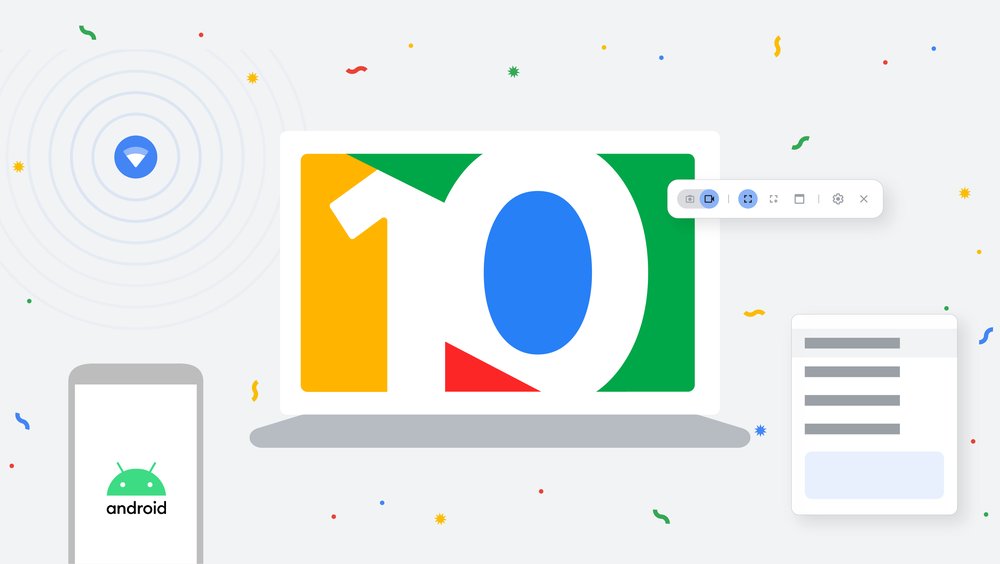
    Chromebooks have officially turned 10 since the first models from Acer and Samsung came out in 2011. Google launched Chrome OS on a premise to solve some of the common computing problems at the time – which sadly still exist to date – from slow boot times to clunky hardware and intrusive updates.

    Chrome OS was the answer by enabling users to experience a laptop with an easy-to-use interface, snappy performance, easier to update and secure.

    In celebrating 10 years of the Chromebook, Google announced a slew of new features coming to their computer-faced OS. Phone Hub is one of the latest features rolling out to Chrome OS. It is a special feature sporting a built-in control centre allowing users to perform some tasks on their Android devices from a Chromebook.

    With Phone Hub, you can respond to a text, have a glimpse of your phone’s battery life and cellular signal, enable its hotspot, determine location and access recent Chrome tabs from your Chromebook.
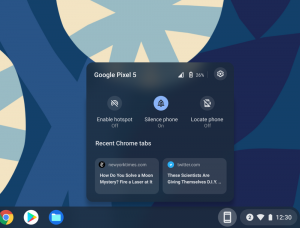
    PhoneHub Chrome OS
    Phone Hub Chrome OS feature / Credit: Google

    Google has expanded Wi-Fi Sync to support more devices allowing seamless connections with more devices. Nearby Share, slated to arrive in a later Chrome OS update months to come, brings the ability to share files between Chromebooks or Chromebooks and Android devices in an easy way.

    Chrome OS performance has also been updated through a couple of new features. These include the addition of media controls to the Quick Settings menu, a streamlined Chromebook set up for parents and guardians, and a new Clipboard able to store up to five items.

    Quick Answers is another handy feature that shows useful information when a word is right-clicked. Google also has “supercharged” Desks, Chrome OS workspace feature, for more organization.

    Read Next: WhatsApp Working on Password-protected Chat Backups

    chrome os Chromebook
    Alvin Wanjala
    • Facebook
    • X (Twitter)
    • Instagram

    Alvin Wanjala has been writing about technology for over 2 years(and counting). He writes about different topics in the consumer tech space. He loves streaming music, programming, and gaming during downtimes.

    Related Posts

    Oracle to Launch First Public Cloud Region in Kenya, Hosted at iXAfrica Data Centre

    January 27, 2026

    LG OLED TVs: Cinematic true-to-life viewing experiences for live AFCON matches

    January 27, 2026

    OPPO Launches Reno15 Series in Kenya With 200MP Camera

    January 26, 2026

    Comments are closed.

    Latest Posts

    Oracle to Launch First Public Cloud Region in Kenya, Hosted at iXAfrica Data Centre

    January 27, 2026

    LG OLED TVs: Cinematic true-to-life viewing experiences for live AFCON matches

    January 27, 2026

    How to Choose the Right Data Centre in East Africa: A Practical Guide for Enterprises and Startups

    January 27, 2026

    OPPO Launches Reno15 Series in Kenya With 200MP Camera

    January 26, 2026
    Advertisement
    Editor's Pick

    How to Choose the Right Data Centre in East Africa: A Practical Guide for Enterprises and Startups

    January 27, 2026

    How 2026 will stitch together the future of payments

    January 22, 2026

    5 Blockchain Trends to Watch in 2026: Insights from D24 Fintech’s CTO

    January 21, 2026

    Why SMEs Need Tailored Digital Banking Solutions

    January 20, 2026
    © 2026 TechArena.. All rights reserved.
    • Home
    • Startups
    • Reviews

    Type above and press Enter to search. Press Esc to cancel.