


Close Menu

    Subscribe to Updates

    Get the latest tech news

    Facebook X (Twitter) Instagram
    TechArenaTechArena
    • Home
    • News
    • Reviews
    • Features
      • Top 5
    • Startups
    • Contact
    Facebook X (Twitter) Instagram
    TechArenaTechArena
    Home»Gadgets»These Are The iPads Scheduled To Get iPadOS
    Gadgets

    These Are The iPads Scheduled To Get iPadOS

    John NyabutoBy John NyabutoSeptember 25, 20192 Mins Read
    Facebook Twitter Telegram LinkedIn WhatsApp Email Pinterest
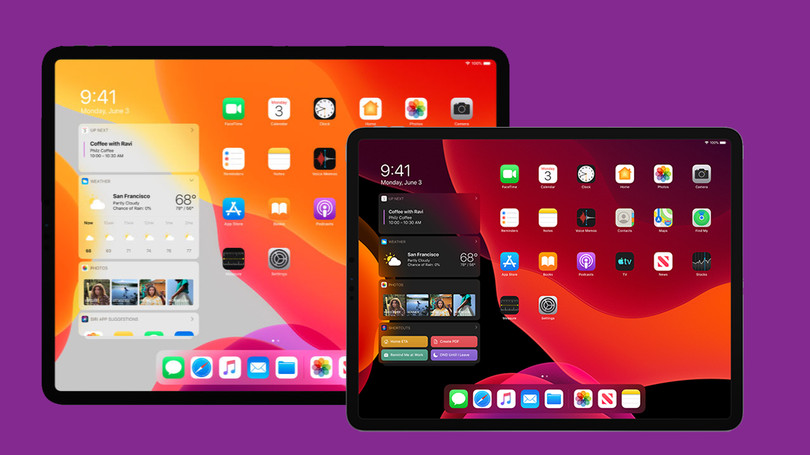
    663118 ipados dark and light
    663118 ipados dark and light
    Share
    Facebook Twitter LinkedIn WhatsApp Telegram

    Yesterday, Apple confirmed the launch date for iPadOS when it announced the new iPhone 11, iPhone 11 Pro and even the iPhone 11 Pro Max.

    iPadOS is out but you will have to wait a little bit longer to download it. It will come up as iPadOS 13.1 when you are ready to download it. It also means that the new iPad Pro which will be launched in mid-October will likely come with the iPadOS pre-installed.

    Not all iPads are getting the new update though, some, like the original iPad Air, iPad Mini 3 and the iPad Mini 2, are nearing the end of their update cycle and will remain with iOS 12 which they got back in 2018.

    For those with other models, see below the list of iPads that are scheduled to get iPadOS.

    • iPad Pro 12.9 (2018)
    • iPad Pro 12.9 (2017)
    • iPad Pro 12.9 (2015)
    • iPad Pro 11 (2018)
    • iPad Pro 10.5 (2017)
    • iPad Pro 9.7 (2016)
    • iPad Air (2019)
    • iPad Air 2
    • iPad (2018)
    • iPad (2017)
    • iPad Mini (2019)
    • iPad Mini 4

    The list above isn’t extensive but that is what we are getting as of now.

    What is New?

    iPadOS has got this new way to multitask. You’ll be able to use Split View to see two app windows at a time for the same app, or two different apps. iPadOS uses a drag-and-drop interface here, making switching between apps and windows easy.

    In addition to these, iPadOS also gets a USB drive and SD card support which allows you to plug a USB drive or SD card reader into your iPad, and the Files app will be able to read the plugin and allow you to easily manage data between the iPad’s internal storage and the external drive and also does support connecting a mouse to your iPad.

    Now Read: Apple is Again Ashamed of Display Cut-outs on its flagship iPhone

    Apple iPadOS
    John Nyabuto

    Related Posts

    TechArena to Break New Documentary Series Telling Africa’s Blockchain and AI Story From Nairobi

    December 18, 2025

    Swedfund Invests $20 Million in Helios CLEAR Fund to Back Climate-Focused African Businesses

    December 18, 2025

    Airtel Africa Partners with SpaceX to Bring Starlink Direct-to-Cell Connectivity Across 14 Markets

    December 18, 2025

    Comments are closed.

    Latest Posts

    Three Predictions for Fintech in Africa in 2026

    December 18, 2025

    TechArena to Break New Documentary Series Telling Africa’s Blockchain and AI Story From Nairobi

    December 18, 2025

    Swedfund Invests $20 Million in Helios CLEAR Fund to Back Climate-Focused African Businesses

    December 18, 2025

    Airtel Africa Partners with SpaceX to Bring Starlink Direct-to-Cell Connectivity Across 14 Markets

    December 18, 2025
    Advertisement
    Editor's Pick

    TechArena to Break New Documentary Series Telling Africa’s Blockchain and AI Story From Nairobi

    December 18, 2025

    [Op-Ed] How Safaricom Is Helping Enterprises Build Cyber Resilience

    December 17, 2025

    [Op-Ed] From Generative to Agentic: How Kenya’s AI Future Will Be Built on Trust, Data and Practical Automation

    December 16, 2025

    Inside Ampersand the Startup Powering East Africa’s Electric Motorcycles

    December 11, 2025
    © 2025 TechArena.. All rights reserved.
    • Home
    • Startups
    • Reviews

    Type above and press Enter to search. Press Esc to cancel.