



A little over two weeks ago, Bunifu Technologies – a security solutions company based in Kenya (Baringo County) was awarded the Microsoft Innovation IT Services Award for their Bunifu Antivirus. To be honest, I had not heard of Bunifu before but after the news broke on Twitter, I had to give this Kenyan-Made antivirus a try.
I got the trial version from their website, installed it on my PC and crossed my fingers that it would actually work. It’s been over two weeks now since I did the installation, I was going to wait a month but no, I think I have everything I need to write what I feel about the product.
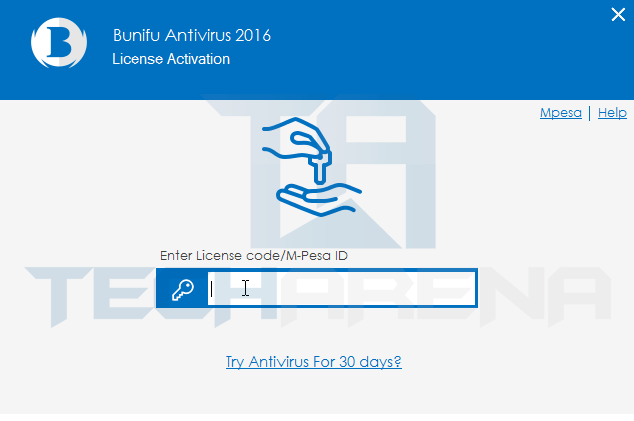
The set up process was as usual, ‘Next’…’Next’…’Accept’ (who actually reads the Terms & Conditions? I should challenge myself) and you’re done. You are then prompted to enter your license code but since mine was a trial, I just clicked, “Try antivirus for 30 days”.
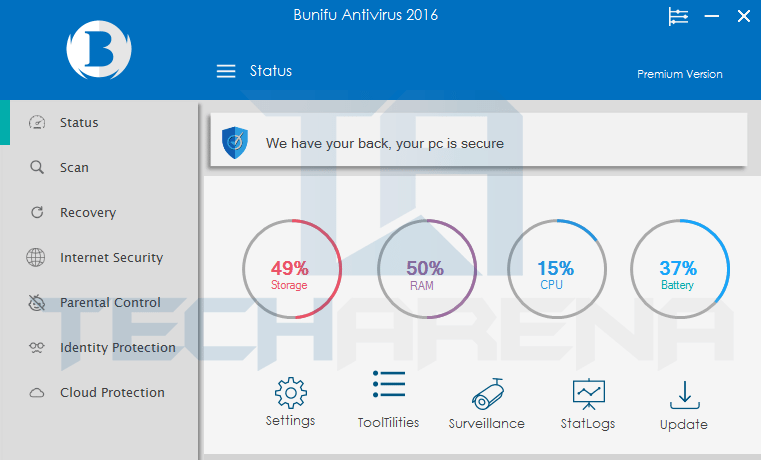
Bunifu Antivirus is quite something on the features side with options such as:
- Status – Shows the device’s status like memory, storage, CPU and battery.
- Recovery – Where you can try recover lost files or deleted files from a phone, flashdisk or memory card (I think).
- Internet Security – Basically browsing protection.
- Parental Control -This is for those with children around and you’re worried that they may access something they shouldn’t on the internet, the feature helps you take control over what they can see.
- Identity Protection – Protection for your social media accounts from hackers.
- Cloud Protection – Protection for your cloud accounts, i.e. DropBox, Google Drive, OneDrive etc.
So Bunifu Antivirus works like every other antivirus out there, I will not go into the details of explaining this but I will simply list what I liked about it, what I didn’t like and whether I think it’s worthy of its pricetag.
What I Liked
- The User Interface – The software looks professionally made, beautiful and pleasing to the eye. It looks better than 60% of other anti-virus software out there.
- Basic Functionality – It does what it is meant to do, protect from viruses and malware attacks.
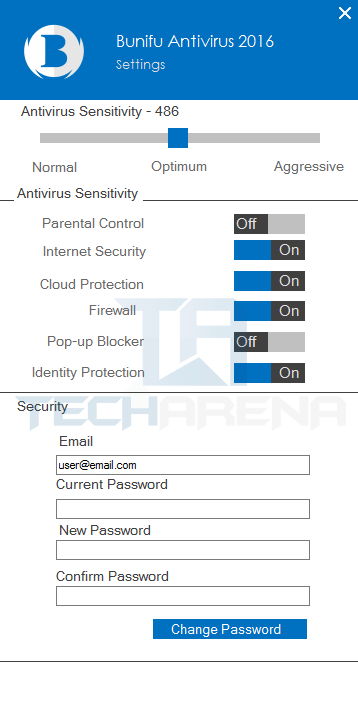
- It has a quick settings tab where you can toggle on/off the features you want. You can also set the sensitivity level.
- Paying via mpesa. Yes, this one actually got me excited. I hate having to pay for an antivirus using my debit card and this option was a deal maker.
- USB Firewall – Most malware and viruses are transmitted through flashdisks that connect to the PC through USB ports and this was a useful feature to have onboard. It actually works!
What I didn’t Like
- Some Features not working. As much as the software is full of features that seem to be useful, I could never get some of them to work. Such as the Parental Control and Recovery.
- No daily updates! Bunifu, correct me if I’m wrong but I have not received any security update since I installed the software. I have tried clicking the “Update” button alot and it loads for like a second then stops. I don’t know if this is an isolated case but this brought fears to me about the quality of service.
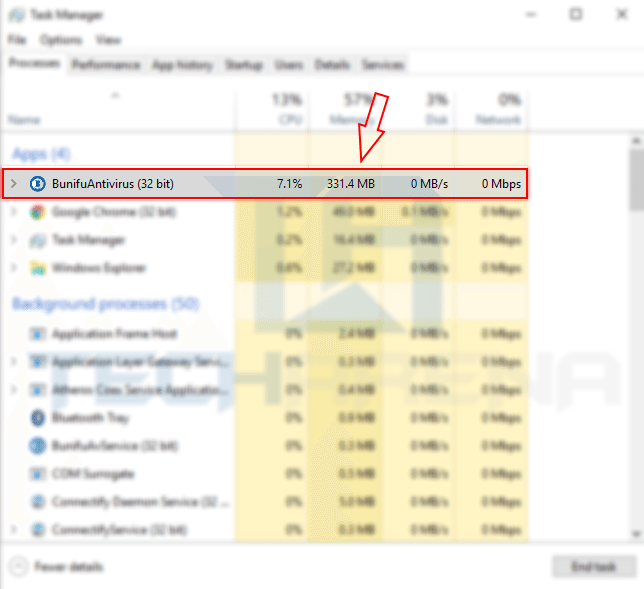
- Memory hogging. The antivirus requires so much RAM that it occassionally causes lags on my PC. It reminded me of the dreaded Kaspersky. Bunifu please do something about this.
Recommendations
So if you’re willing to overlook the downsides of Bunifu Antivirus, which are not that many anyway, you will enjoy using the software. The features that work, do this extremely well. Top that up with it’s starting price of Ksh. 1,000 for 1 PC per year, I would say this is a worthy investment. Why not Buy Kenya to Build Kenya?
As for me, I will not be switching to Bunifu Antivirus just yet, those three issues that I listed uptop just broke the deal for me. When they are resolved, I will definetely be willing to try out Bunifu Antivirus again.
Get Bunifu Antivirus here!
