


Close Menu

    Subscribe to Updates

    Get the latest tech news

    Facebook X (Twitter) Instagram
    TechArenaTechArena
    • Home
    • News
    • Reviews
    • Features
      • Top 5
    • Startups
    • Contact
    Facebook X (Twitter) Instagram
    TechArenaTechArena
    Home»Gadgets»Xiaomi Rolling Out Pie Update to RedMi 6 and RedMi 6A
    Gadgets

    Xiaomi Rolling Out Pie Update to RedMi 6 and RedMi 6A

    Alvin WanjalaBy Alvin WanjalaAugust 12, 2019Updated:August 15, 20252 Mins Read
    Facebook Twitter Telegram LinkedIn WhatsApp Email Pinterest
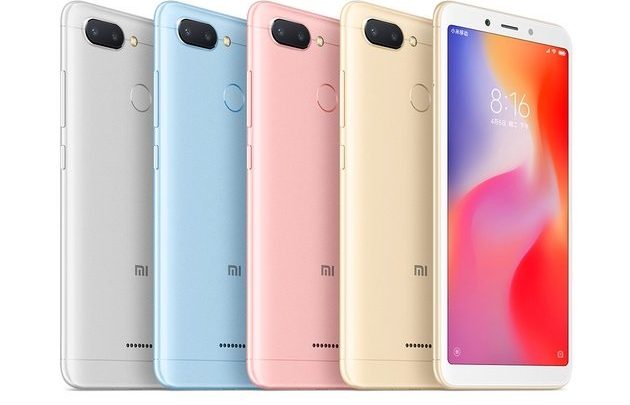
    Xiaomi Redmi 6A
    Xiaomi Redmi 6A
    Share
    Facebook Twitter LinkedIn WhatsApp Telegram

    Xiaomi RedMi 6 and RedMi 6A are finally receiving Android 9.0 Pie update even though Android Q launch is just around the corner even though Google has not revealed the launch date yet.

    Remember Xiaomi’s Pie update roadmap had left out the duo but later reconsidered providing a Pie update for the duo. Well, now after months of testing in the closed beta group, the update is publicly available for both devices.

    You might be wondering why you have MIUI 10, but it is not based on Android Q, but the answer to that is simple; Xiaomi usually develops its Android iteration independently regardless of the Android System version.

    The update as XDA notes is 1.3GB in size and comes along with the Google July Security patch. There isn’t much to be excited of, but it may be worth mentioning that the Pie update brings a system-wide dark mode. So even if Android Q update never hits the duo, at least there’s one of the most anticipated features already available.

    To check for the update Open your Settings app, Go to About Phone then System Update and tap on “Check for updates.” Possibly it may not yet be available but you have to wait for some time.

    There is also a workaround if you want the update right away, simply download the ROM for your respective device(Redmi 6 ROM, RedMI 6A ROM) then navigate to Settings > About Phone > System update and select “Choose update package” from the top menu – in case the option lacks tap on the MIUI logo ten times will do the trick to reveal the option.

    miui MIUI 10 xiaomi xiaomi redmi 6 xiaomi redmi 6A
    Alvin Wanjala
    • Facebook
    • X (Twitter)
    • Instagram

    Alvin Wanjala has been writing about technology for over 2 years(and counting). He writes about different topics in the consumer tech space. He loves streaming music, programming, and gaming during downtimes.

    Related Posts

    NTT DATA Completes 100 Starlink Installations in Kenya

    December 16, 2025

    Airtel Money Enables Direct Showmax Payments for Kenyan Subscribers

    December 16, 2025

    NBA Africa Names Five Winning Startups in Second Triple-Double Accelerator

    December 16, 2025

    Comments are closed.

    Latest Posts

    NTT DATA Completes 100 Starlink Installations in Kenya

    December 16, 2025

    [Op-Ed] From Generative to Agentic: How Kenya’s AI Future Will Be Built on Trust, Data and Practical Automation

    December 16, 2025

    How to Bridge your Imagination and Reality This Festive Season with Galaxy AI

    December 16, 2025

    Airtel Money Enables Direct Showmax Payments for Kenyan Subscribers

    December 16, 2025
    Advertisement
    Editor's Pick

    [Op-Ed] From Generative to Agentic: How Kenya’s AI Future Will Be Built on Trust, Data and Practical Automation

    December 16, 2025

    Inside Ampersand the Startup Powering East Africa’s Electric Motorcycles

    December 11, 2025

    What You Need to Know About KCB and Visa’s New Tap to Phone Payment Solution in Kenya

    December 11, 2025

    Accelerated entry: How East Africa Leapfrogged into the Cloud Age

    December 11, 2025
    © 2025 TechArena.. All rights reserved.
    • Home
    • Startups
    • Reviews

    Type above and press Enter to search. Press Esc to cancel.