


Close Menu

    Subscribe to Updates

    Get the latest tech news

    Facebook X (Twitter) Instagram
    TechArenaTechArena
    • Home
    • News
    • Reviews
    • Features
      • Top 5
    • Startups
    • Contact
    Facebook X (Twitter) Instagram
    TechArenaTechArena
    Home»News»TrueCaller Now Lets Users Backup Their Contacts, Call History & Block List
    News

    TrueCaller Now Lets Users Backup Their Contacts, Call History & Block List

    Kaluka wanjalaBy Kaluka wanjalaJanuary 16, 20182 Mins Read
    Facebook Twitter Telegram LinkedIn WhatsApp Email Pinterest
    Truecaller
    Truecaller
    Share
    Facebook Twitter LinkedIn WhatsApp Telegram

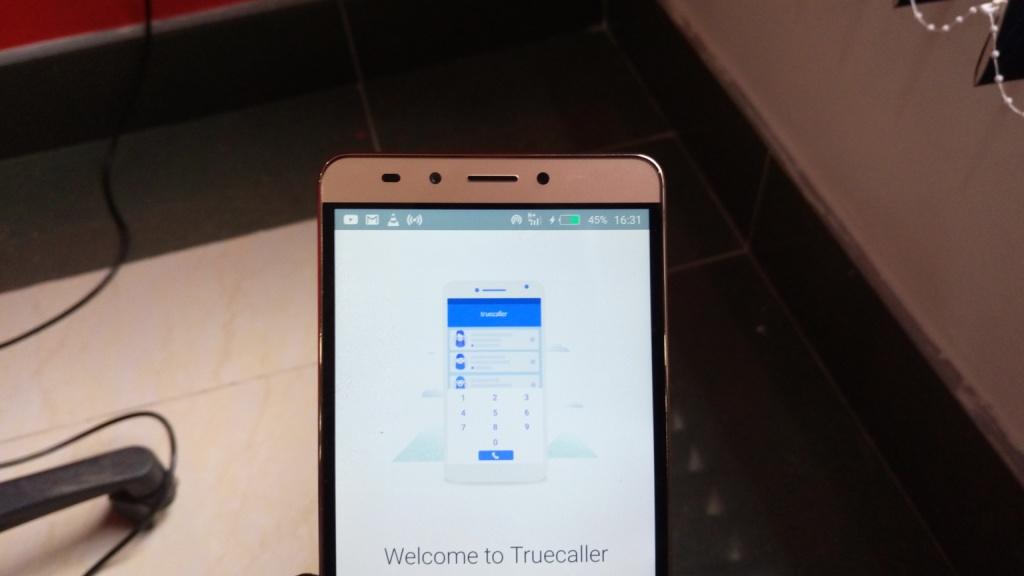
    Yesterday, Truecaller introduced its latest product, Truecaller Backup for Android, a new feature which allows users to backup and restore their contacts, call history, block list and settings to Google Drive.

    Every day thousands of Truecaller users are switching to a new phone, getting new SIM card, resetting their device or in general having to start their Truecaller journey anew. This inevitably leads to lost contacts, blank call logs and data gone missing.

    Truecaller Backup has been one of the most highly requested features by its users, and will simplify a user’s transition to a new phone or SIM card by securely backing-up their contacts and settings, and stored on your Google Drive.

    Users also have the power to customize the frequency of backup between daily, weekly, monthly and on demand. The upgrade enables the recovery of any lost data from Google Drive which Truecaller can restore to its last saved state.

    Truecaller Contacts now lets a user even search for contacts whose details they haven’t saved but have previously communicated with. The Truecaller Contacts view contains all the contacts a user has sent or liaised with on call or text. This makes it easier for Truecaller users to recall and communicate with temporary contacts without saving them in their phonebook, keeping it clean and efficient.

    Initially, the backup file will only be available for Google Drive users, but the plan is to expand the options to other backup storage in a near future. If you don’t already have a Google Drive account you’ll be prompted to create one.

    truecaller
    Kaluka wanjala
    • Website
    • Facebook
    • X (Twitter)
    • LinkedIn

    Editor at TechArena. I cover all things technology and review new gadgets as I get them. You can reach me on email: [email protected]

    Related Posts

    Absa, Microsoft and Women in Tech Expand ElevateHer AI Programme Across Nine African Markets

    February 6, 2026

    LG Positions Africa as Key Growth Frontier for AI-Powered Smart Home Expansion at InnoFest 2026 MEA

    February 6, 2026

    Cellulant Appoints Michael Muriuki as Chief Product & Technology Officer

    February 6, 2026

    Comments are closed.

    Latest Posts

    Absa, Microsoft and Women in Tech Expand ElevateHer AI Programme Across Nine African Markets

    February 6, 2026

    LG Positions Africa as Key Growth Frontier for AI-Powered Smart Home Expansion at InnoFest 2026 MEA

    February 6, 2026

    Cellulant Appoints Michael Muriuki as Chief Product & Technology Officer

    February 6, 2026

    Pin Up how to play and win instructions for experienced players

    February 6, 2026
    Advertisement
    Editor's Pick

    Deepfake Scams and AI-Generated Malware Are Now Top Cyber Risks for Kenya, ESET Warns

    February 5, 2026

    The Smartphone as an AI Platform: What On-Device AI Really Means for Africa

    February 4, 2026

    What You Need to Know About Kenya’s National Electric Mobility Policy (e-Mobility Policy)

    February 4, 2026

    How Data Centers Are Reshaping Africa’s Power Market

    February 2, 2026
    © 2026 TechArena.. All rights reserved.
    • Home
    • Startups
    • Reviews

    Type above and press Enter to search. Press Esc to cancel.